
Hooks demo app
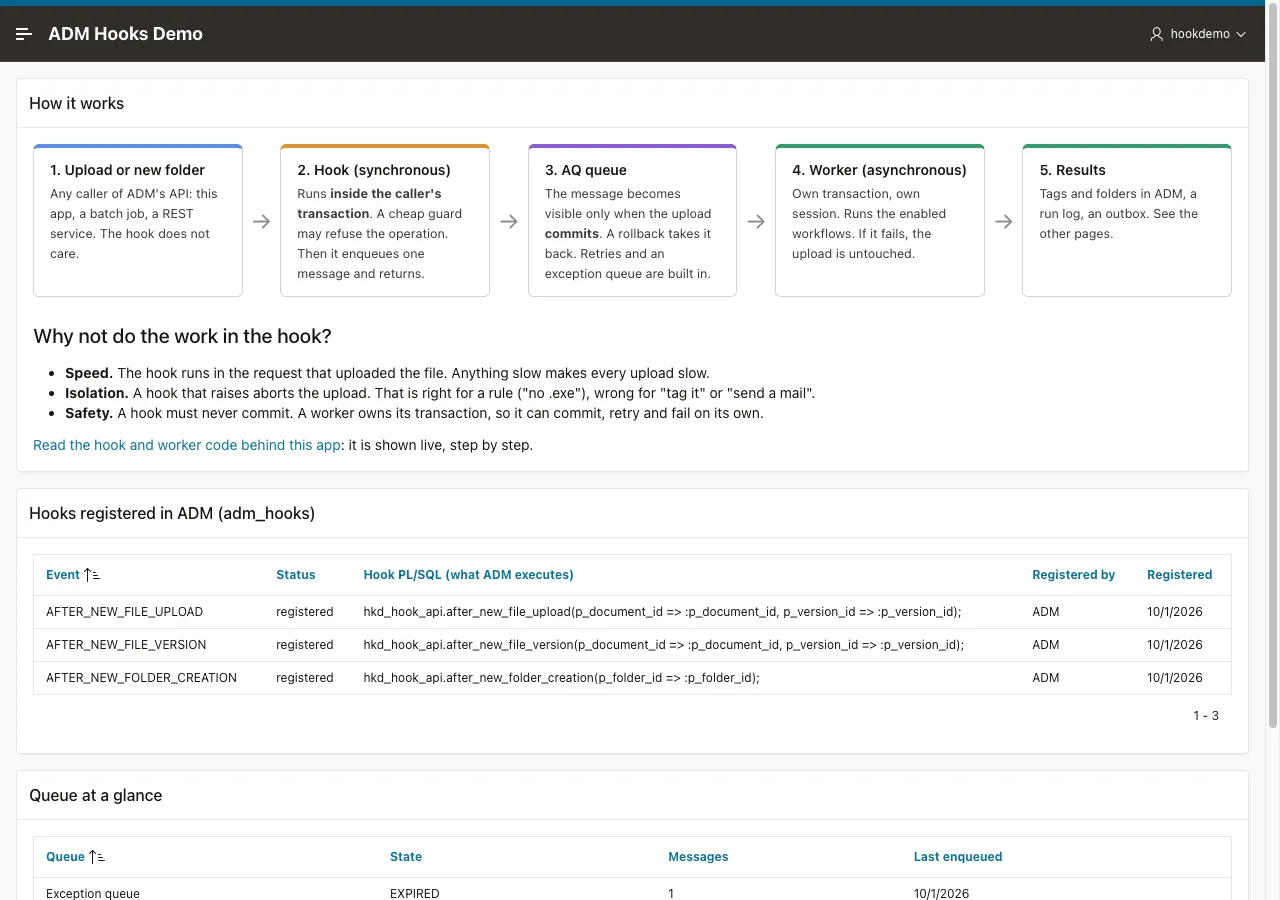
The Hooks demo app is a small APEX application on top of ADM. You upload a file, create a folder, and watch what happens afterwards: a hook refuses or queues the event, a worker handles it in the background, and the results appear as tags and folders in ADM and as rows in the app.
It exists to show one pattern. A hook runs in the request of the user, so it only applies a rule and puts a message on an Oracle Advanced Queuing queue. A worker with its own transaction does everything else. The app also explains itself: every page starts with a short description, and the page How It Works: The Code shows the code that runs, read live from the database.
Get the database objects and application from
the public ADM repository.
They also ship in examples/hooks-demo-app in the delivery archive. The tutorial
Build workflows on hooks builds the upload rules, document tags, and project folders step by step.
What the demo does
Section titled “What the demo does”| Example | Runs | On | What it shows |
|---|---|---|---|
| Upload guard | In the hook | New file, new version | Refuses blocked file types and empty files with a message for the user, and keeps a record of each refusal. |
| Intake classification | In the worker | New file | Classifies the file by name and type, and writes the tags category and needs-review into ADM. |
| Duplicate scan | In the worker | New file | Compares the checksum with every other live document, tags duplicate-of, and flags files over 10 MB. |
| Version digest | In the worker | New version | Compares the version with the one before it, flags a version that lost more than half of its size, and writes a notification into an outbox table. |
| Project folder blueprint | In the worker | New folder | Gives a folder inside a folder named Projects the sub folders 01_Contracts, 02_Deliverables and 03_Archive. |
The tutorial teaches the first, second, third and fifth examples. The version digest works in the same way as the
others. It reads the new version and the one before it, and it writes a row to hkd_notifications. A real system has a
separate sender, for example a mail job, that reads that table.
A file with poison in its name makes the classification raise an error on purpose. Use it to watch a message fail, retry
and end in the exception queue. The course Classify uploads with an LLM
switches this workflow off while it is installed, and the poison demo does not work then.
Install it
Section titled “Install it”You need ADM in a schema and an APEX workspace over that schema. The database scripts use only features of Oracle Database 19c. The demo was recorded on Oracle Database 26ai Free
and has not run on 19c. The application is exported as APEXlang, so
importing it needs APEX 26.1 or later and a SQLcl release that supports apex import for APEXlang.
The database scripts and the tutorial do not need the application.
-
A DBA runs
make db-grantsonce. It grants the ADM schemaexecuteonsys.dbms_aqandsys.dbms_aqadm. Without amaketool, rundb/00_dba_grants.sqlas a DBA with the schema name as its parameter. -
Run
make db-install. It creates the tables, the queue and the packages, and it registers the three hooks, the AQ notification and the scheduler job. It is safe to run again, and it also works on top of the database objects of the tutorial. -
Run
make app-import. It imports the application with the id 217 into the workspace of your connection.
The Makefile in the folder connects with the SQLcl connections local-23ai-adm and local-23ai-sys. Override them with
make db-install DB_CONN=my-connection. If your SQLcl command is not called sql, add SQL=sqlcl. Run make to list
every target.
Sign in with an APEX account that also has an active ADM account. The app refuses everyone else, because ADM permissions decide what each user can see. The upload goes through ADM’s API, so a user can only upload into a folder where ADM allows it.
The pages
Section titled “The pages”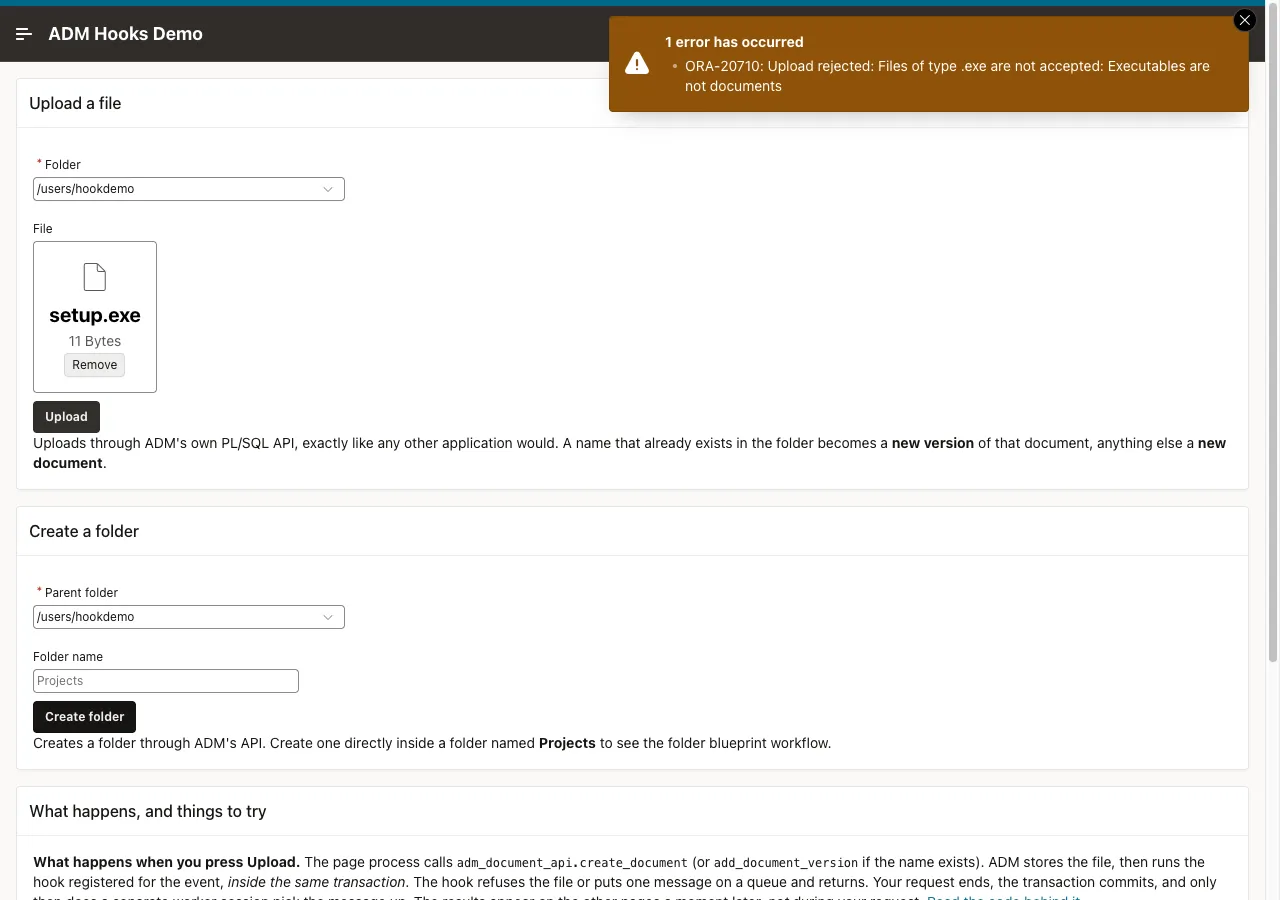
| Page | What it shows |
|---|---|
| Overview | The flow from upload to result, the hook snippets that ADM stores, and the state of the queue. |
| Upload & Create | A form that uploads a file or creates a folder through ADM’s API. A name that exists in the folder becomes a new version. |
| Workflow Results | One row for each workflow that ran, with its status and what it found, and the tags the workflows wrote into ADM. |
| AI Review | The newest verdict of the AI classifier for each document that you can see, with the actions Accept, Accept as and Revoke release. It needs the course Classify uploads with an LLM. |
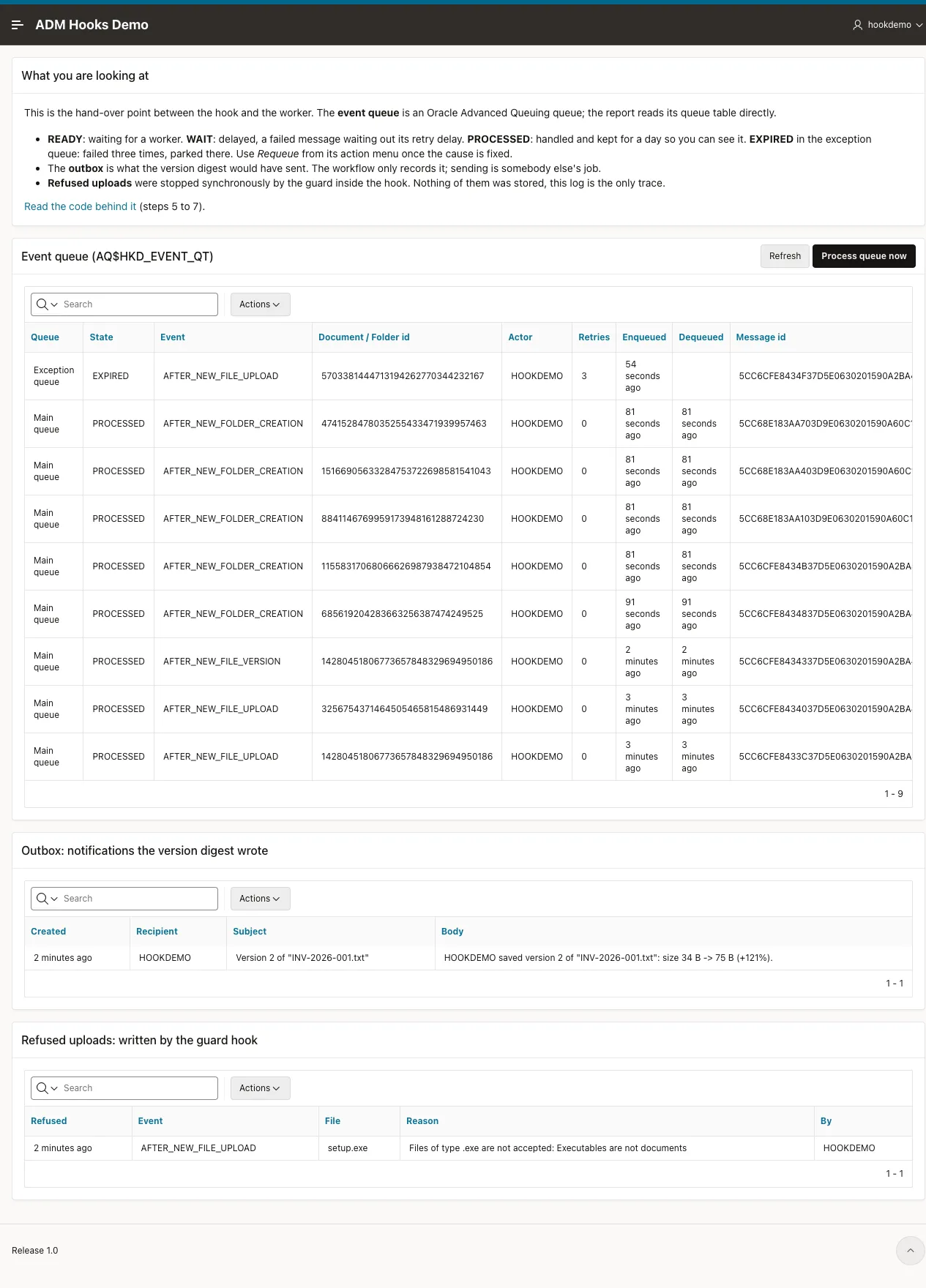
| Queue & Outbox | The messages in the queue and in the exception queue, with an action that runs a failed message again, the outbox, and the refused uploads. |
| Workflows & Rules | A switch for each workflow, and the list of blocked file extensions. |
| How It Works: The Code | The code of the hook, the guard, the worker and each workflow, with an explanation for each part. |
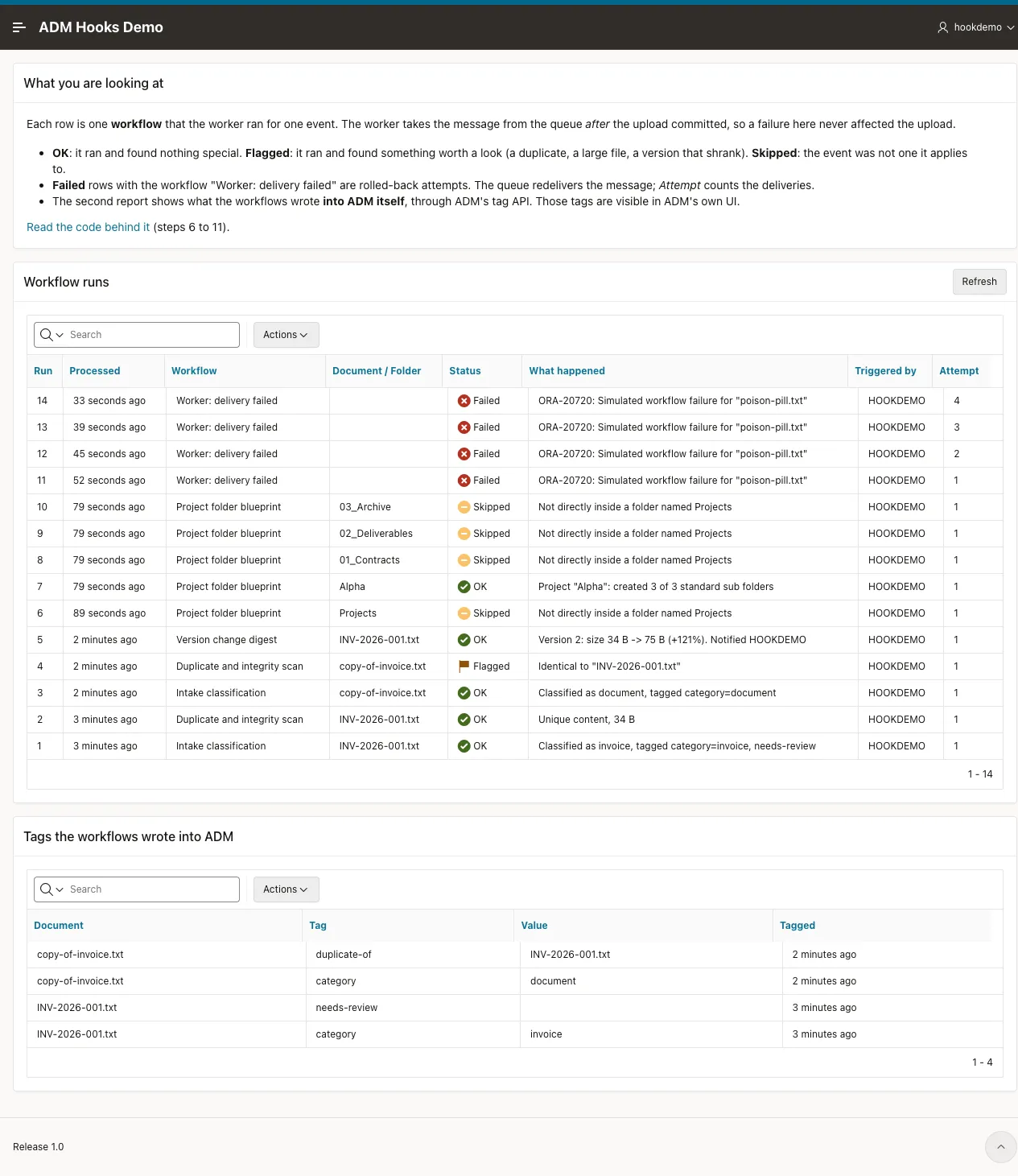
The app establishes the ADM context for the signed-in user on every request, as the application initialization code, and it
reads folders and tags through the views adm_my_folders_v and adm_my_document_tags_v. These views show only what the
signed-in user can see. See Querying ADM from SQL.
Add a workflow of your own
Section titled “Add a workflow of your own”A workflow gets the event and returns a status and a summary. You can put it in a package of your own, or in hkd_worker_api.
To add a workflow in a package of your own:
- Write a procedure with the signature
my_check(p_event in hkd_event_t, po_status out varchar2, po_summary out varchar2). Setpo_statustoOK,FLAGGED,SKIPPEDorFAILED. Read the row you need first and returnSKIPPEDwhen it is gone. - Insert a row into
hkd_workflowswith the hook key it belongs to and the name of your procedure in the columnhandler, for examplemy_package.my_check. The worker calls that procedure for each event of the hook. The Workflows & Rules page lists it at once and shows its switch.
A package of your own keeps hkd_worker_api free of other products. The course
Classify uploads with an LLM uses this way.
To add a workflow in hkd_worker_api:
- Write the function
wf_my_check(p_event in hkd_event_t) return t_outcome. Useoutcome('OK', '...')for the result. Read the row you need first and returnoutcome('SKIPPED', '...')when it is gone. - Add a
whenline for its code in thecaseofprocess_event. - Insert a row into
hkd_workflowswith the hook key it belongs to and an emptyhandler.
A row with an empty handler and no when line in process_event runs as a FAILED workflow with the summary that it has no handler.
Make the workflow safe to run twice. A failed message is delivered again, and an effect outside the database transaction repeats with it. See Handle failed background workflows.
Remove the demo
Section titled “Remove the demo”Run make db-uninstall. It frees the hook slots, deletes the job and the notification, and drops the queue, the packages
and the tables. The documents, tags and folders that the workflows created stay, because they are ordinary ADM data. Delete
the application 217 in App Builder.