
Give the chat one contract to work on
By the end of this lesson, the chat answers about the contract the page is on, and you can prove it cannot read another one.
Supply the contract ID
Section titled “Supply the contract ID”At the end of lesson 1 the chat worked and still could not answer. The tool
refused with NO_CONTRACT, because nothing had told the desk which contract the
page is about.
You could put the contract number in the question. Do not. Then the model chooses the contract, and a user who types “show me contract 99 instead” gets contract 99.
The application must choose, and the model must not be able to change that choice.
The run context
Section titled “The run context”The run context is a set of name and value pairs that belong to the run. UC
AI gives them to every tool of that run, under the key _ctx. The model never
sees this key and cannot set it.
Add one region attribute. Open the Run Context group and set Agent Run Context to:
{ "contract_id": "&P10_CONTRACT_ID.", "engineer": "&APP_USER."}P10_CONTRACT_ID is the page item that holds the record the page is on. On a
real page it comes from the report the user clicked. For this course, add a
hidden item P10_CONTRACT_ID with a computation at Before Header that sets
the static value 88.
Keep the conversation across page loads
Section titled “Keep the conversation across page loads”Set Session Item in the Conversation group to a hidden page item, for
example P10_SESSION_ID.
The plug-in writes the conversation id into that item and reads it back on the next page load. Without it, every page load starts a new conversation. Lesson 5 depends on this, so set it now.
Response for the selected contract
Section titled “Response for the selected contract”Ask the same question as lesson 1:
Which invoices on this contract still have an uncredited amount?
Invoices with uncredited amounts:
- INV-1001 — 780 remaining (in coverage)
- INV-1002 — 350 remaining (outside coverage)
Your wording will differ. What must match is the data, and the checks below.
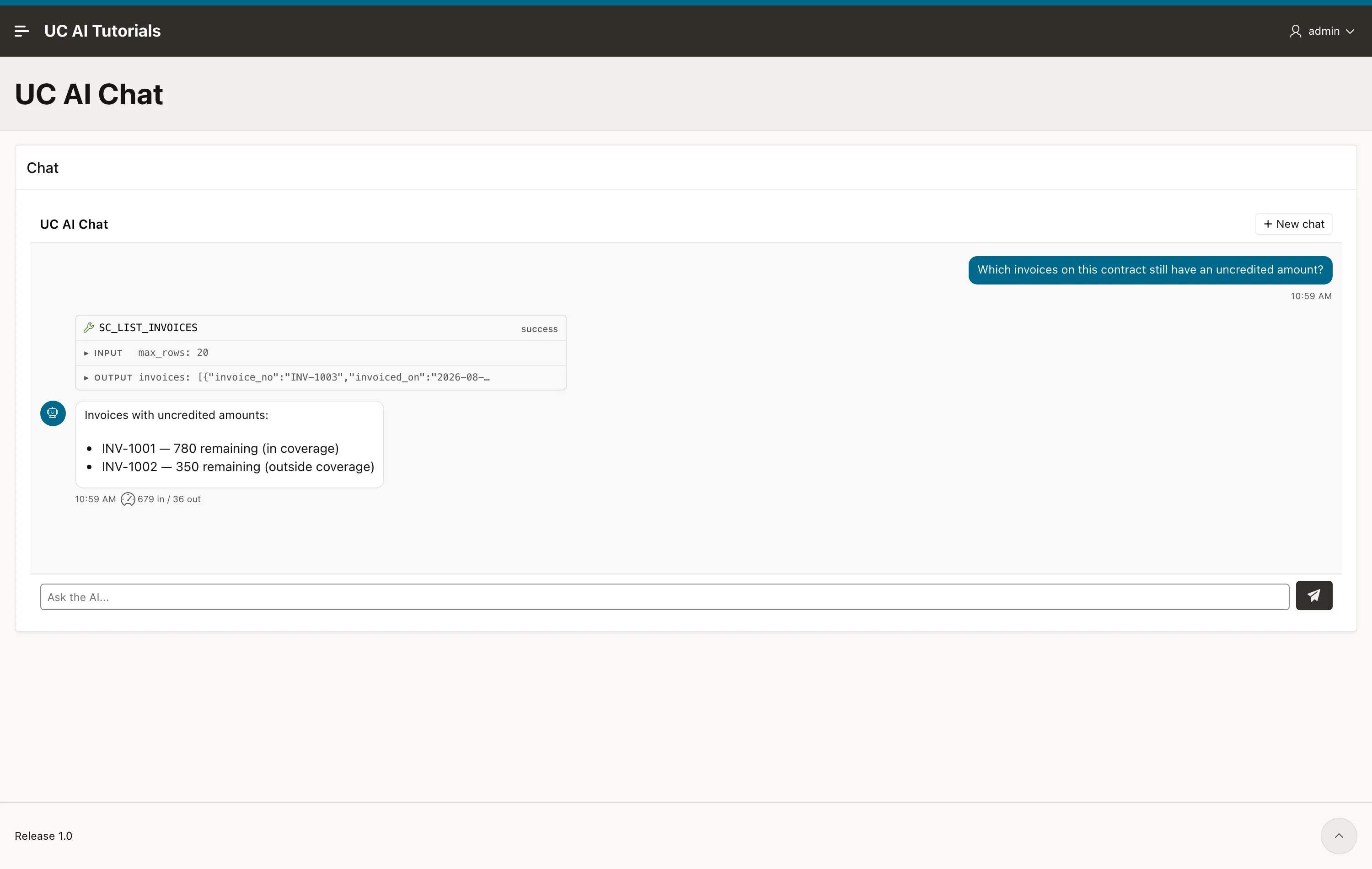
The same question, the same agent, the same tool. The only new thing is one region attribute, and now the desk reads your tables.
The plug-in stores what it sent:
select run_context from uc_ai_chat_messages where role = 'user' order by id desc fetch first 1 rows only;{"contract_id":"88","engineer":"ADMIN"}&P10_CONTRACT_ID. and &APP_USER. are resolved on the server, while the APEX
session is live. The browser never sends these values, so a user cannot change
them.
Test the contract filter
Section titled “Test the contract filter”A model refusal does not test whether the handler restricts access to the selected contract.
Call the tool handler yourself, twice, with a different contract in _ctx each
time. The tool has no contract parameter, so _ctx is the only thing that
changes:
declare function invoices(p_contract in varchar2) return clob is begin return sc_desk_pkg.list_invoices( json_object_t('{"max_rows":20,"_ctx":{"contract_id":"' || p_contract || '"}}').to_clob); end;begin sys.dbms_output.put_line('88 -> ' || invoices('88')); sys.dbms_output.put_line('99 -> ' || invoices('99'));end;/_ctx contract_id = 88 -> 3 invoices INV-1003 INV-1001 INV-1002_ctx contract_id = 99 -> 1 invoices INV-2001Contract 88 and contract 99 belong to different customers. The same tool, with the same arguments, returns one customer’s invoices or the other’s, and the only thing that decides is the value the application put in the run context.
The control holds whatever the user types, because the user cannot reach _ctx.
Check it yourself
Section titled “Check it yourself”select m.role, m.tool_name, m.run_context from uc_ai_chat_messages m order by m.id desc fetch first 4 rows only;The user row carries the run context. The tool_result row carries invoices of
contract 88 and no other contract.
Key takeaways
Section titled “Key takeaways”- The run context binds a conversation to one record. The model cannot see it and cannot change it.
- Leave the bound value out of the tool parameters. Then there is one place the value can come from.
- Prove the boundary by calling the handler with a forged
_ctx, not by asking the model to misbehave.
Full reference: The run
context explains how _ctx
reaches a tool, and how memory can be scoped by one of its keys.