


Excel-like editing for Oracle APEX
Enhanced Grid Pro is a region plug-in built on Handsontable. Give your users a grid that looks and feels like a spreadsheet: copy & paste from Excel, undo & redo, keyboard navigation, validation and a full JavaScript API.
Single license from €5,900 / $6,950 one-time, or included in a Plug-ins Pro subscription.
Highlights
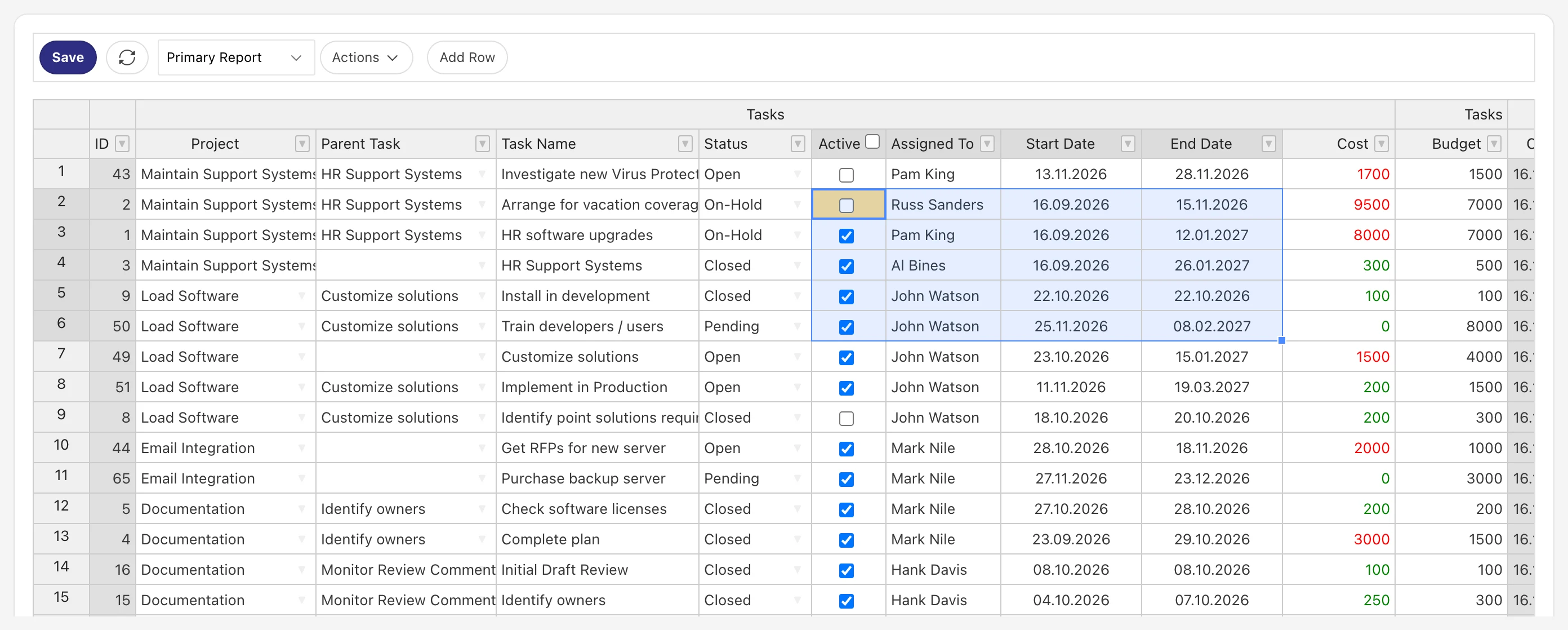
Excel-like editing
Type, tab and enter through cells like in a spreadsheet. Faster than the Interactive Grid for bulk data entry.
Copy & paste from Excel
Paste whole ranges with Ctrl+V. Missing rows are added automatically, select list values are resolved.
Undo & redo
Ctrl+Z and Ctrl+Y for every change, so users can experiment without fear.
Native APEX region
Declarative setup in Page Designer: SQL source, column attributes, automatic DML or your own PL/SQL.
FEATURES
Everything you need to edit data at scale
Editing
The spreadsheet experience your users already know
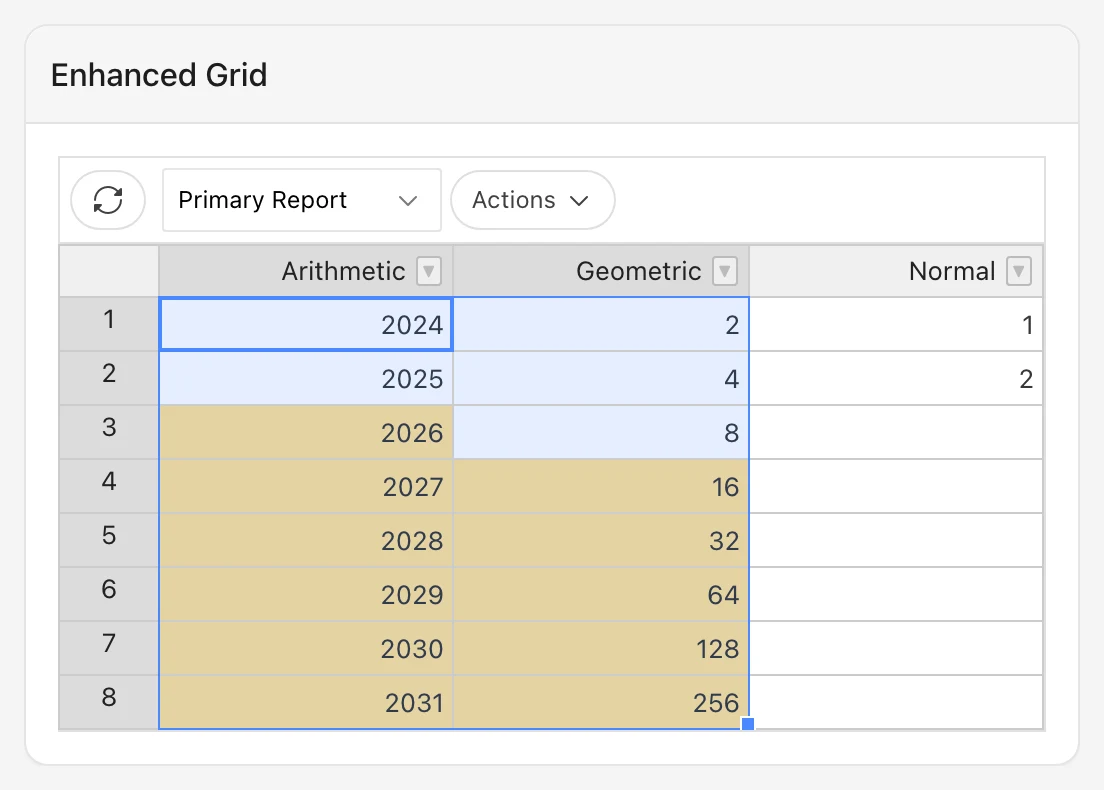
Enhanced Grid Pro brings the look and feel of Excel to Oracle APEX. Users select ranges with the mouse or keyboard, edit in place and drag values down to fill cells.
Range selection with mouse, Shift and keyboard
Multi-line copy & paste, also from and to Excel
Drag down to fill values and continue number series
Column groups, aggregation rows (SUM, AVG, ...) and frozen columns
Column types
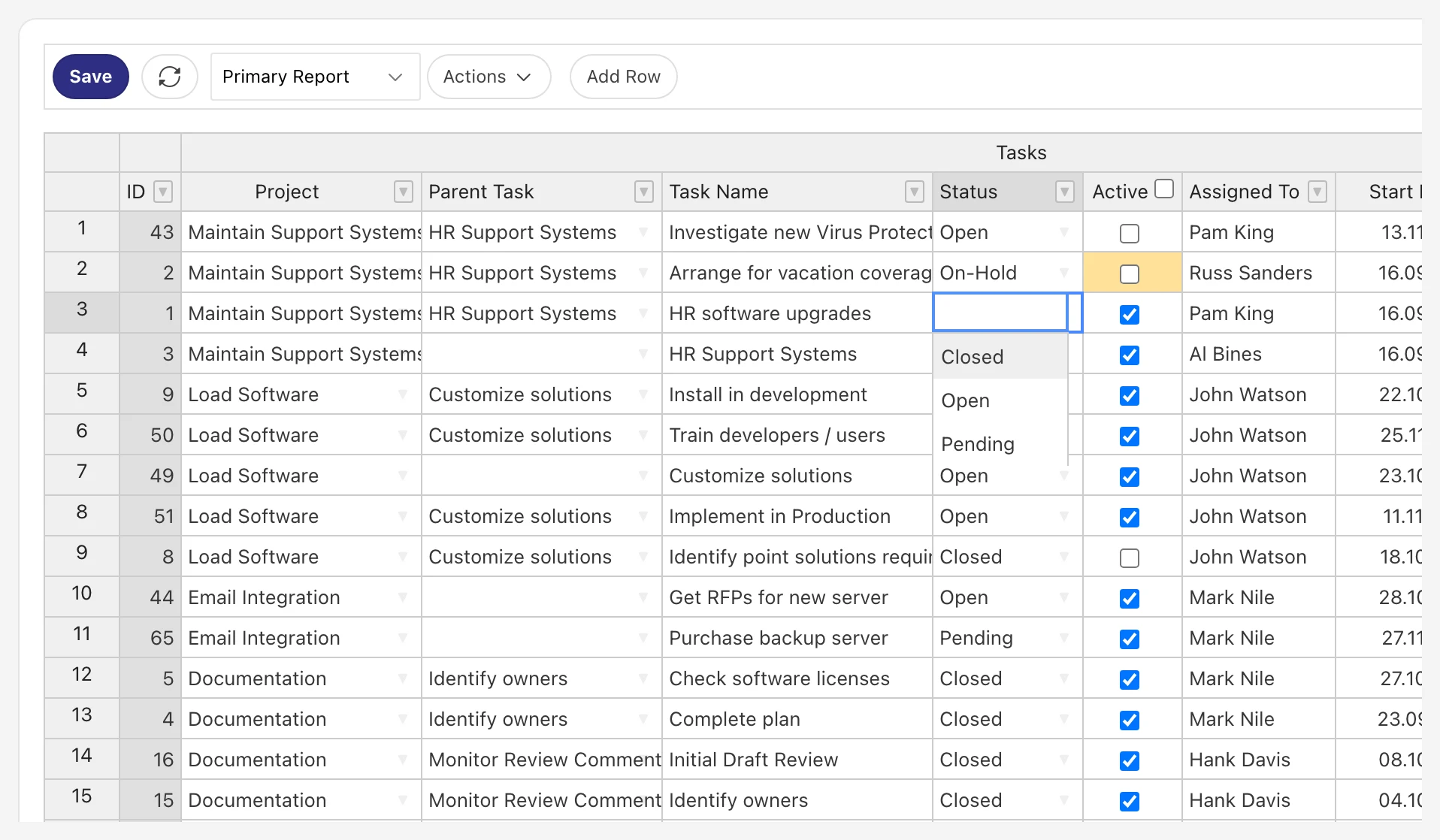
Select lists, dates, checkboxes and more
Every column gets the editor that fits its data. Select lists use your APEX List of Values, including cascading LOVs that filter by a parent column.
Plain text, number, date and HTML columns
Checkbox columns
Select lists (LOV), also cascading
Pasted display values are mapped to their return values
Context menu
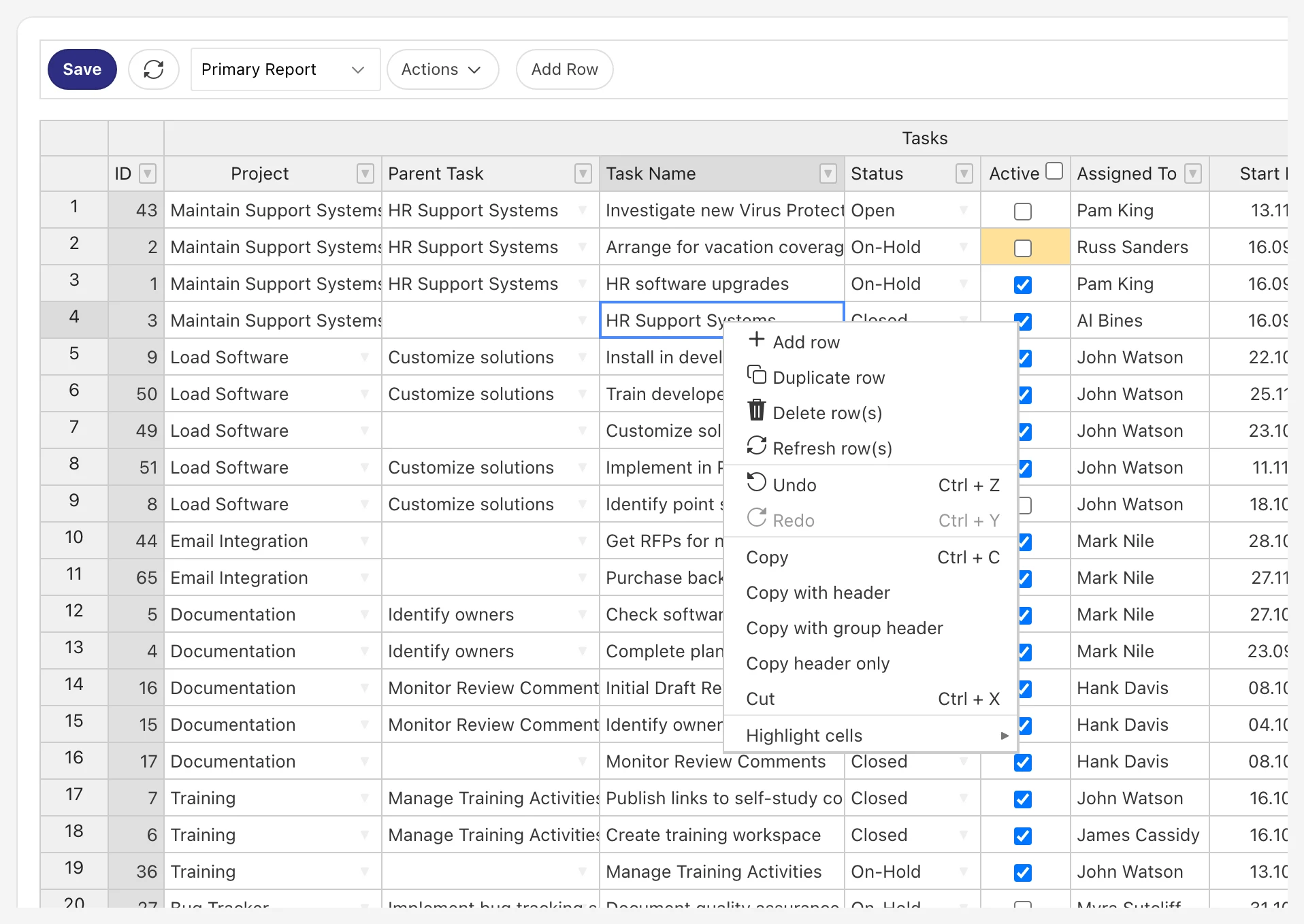
Every row action one right-click away
The context menu gives users quick access to row operations and clipboard actions. Disable entries per grid when users should not add or delete rows.
Add, duplicate, delete and refresh rows
Undo and redo
Copy with headers or group headers
Highlight cells
Validation
Validate on the client and on the server
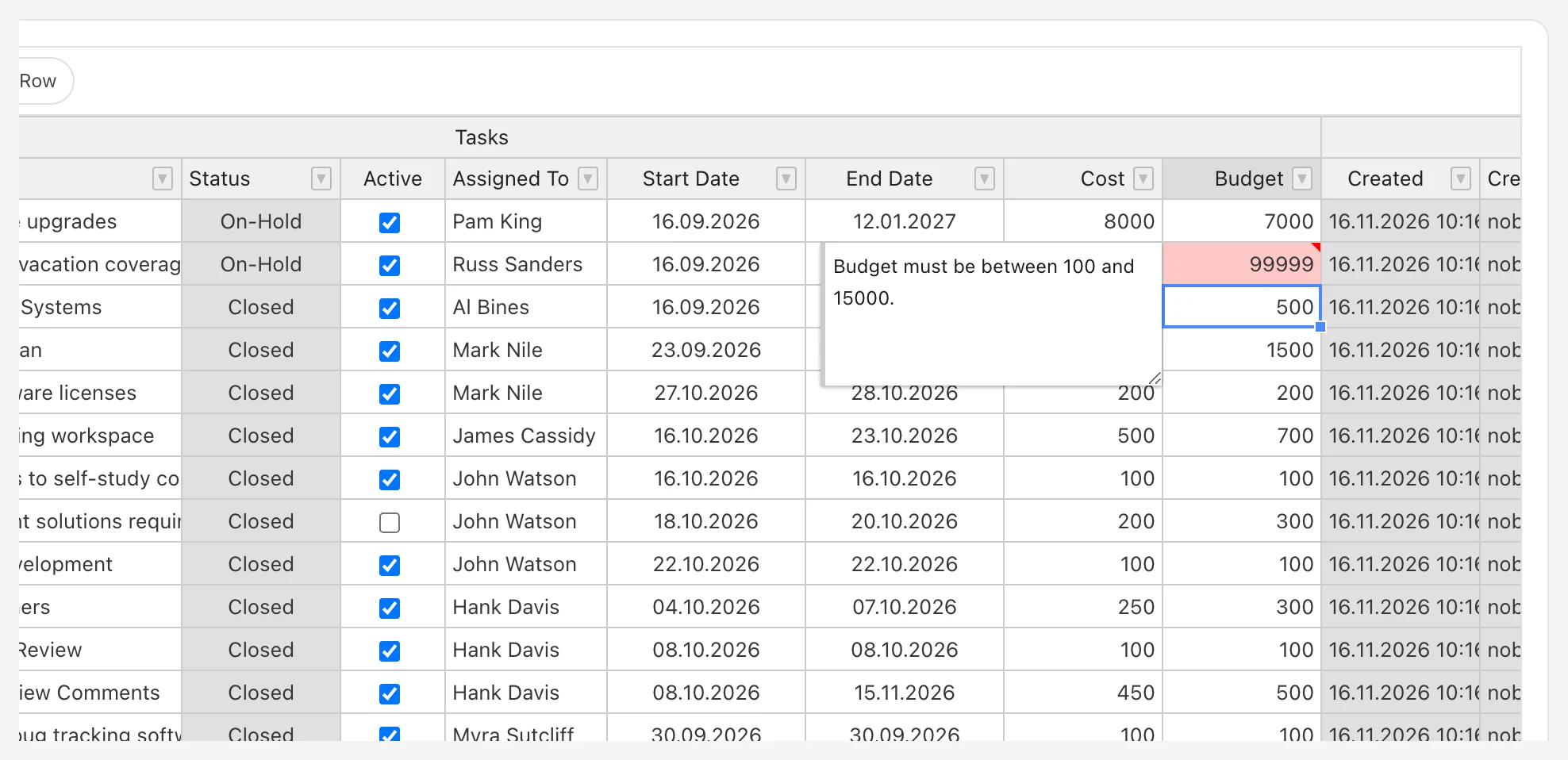
Catch errors early with JavaScript validation functions and enforce your rules in PL/SQL. Invalid cells are highlighted and explain the problem in a cell comment, and saving is blocked until everything is fixed.
JavaScript validation functions per column
PL/SQL validations row-by-row or across all rows
Simple API to raise validation errors
Save with automatic row processing or your own procedure
JavaScript API & events
Build interactive grids with a few lines of code
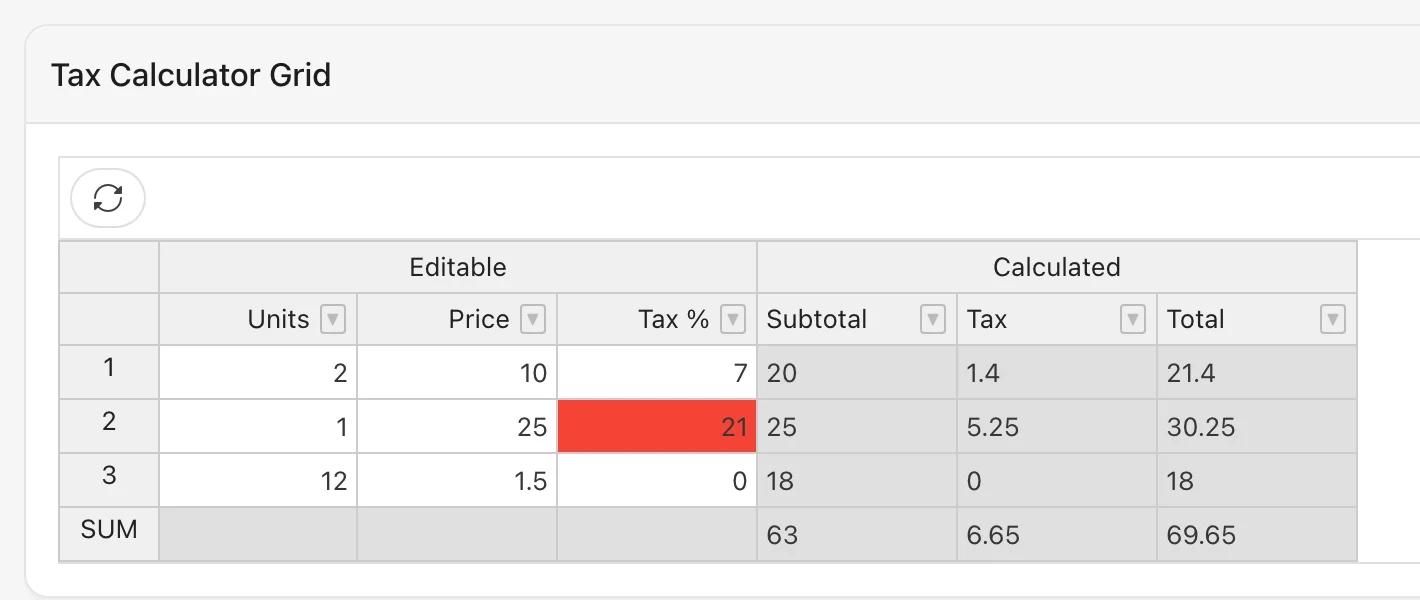
React to changes, calculate values, style cells and control what users can edit. The tax calculator in the sample app recalculates subtotal, tax and total as you type and highlights high tax rates.
Get and set values, reload and save data
Make rows, columns or cells read-only
Add CSS classes and tooltips to cells, rows and columns
Events for refresh, change, save, click, selection and more
Real-world use
Fits into your APEX pages
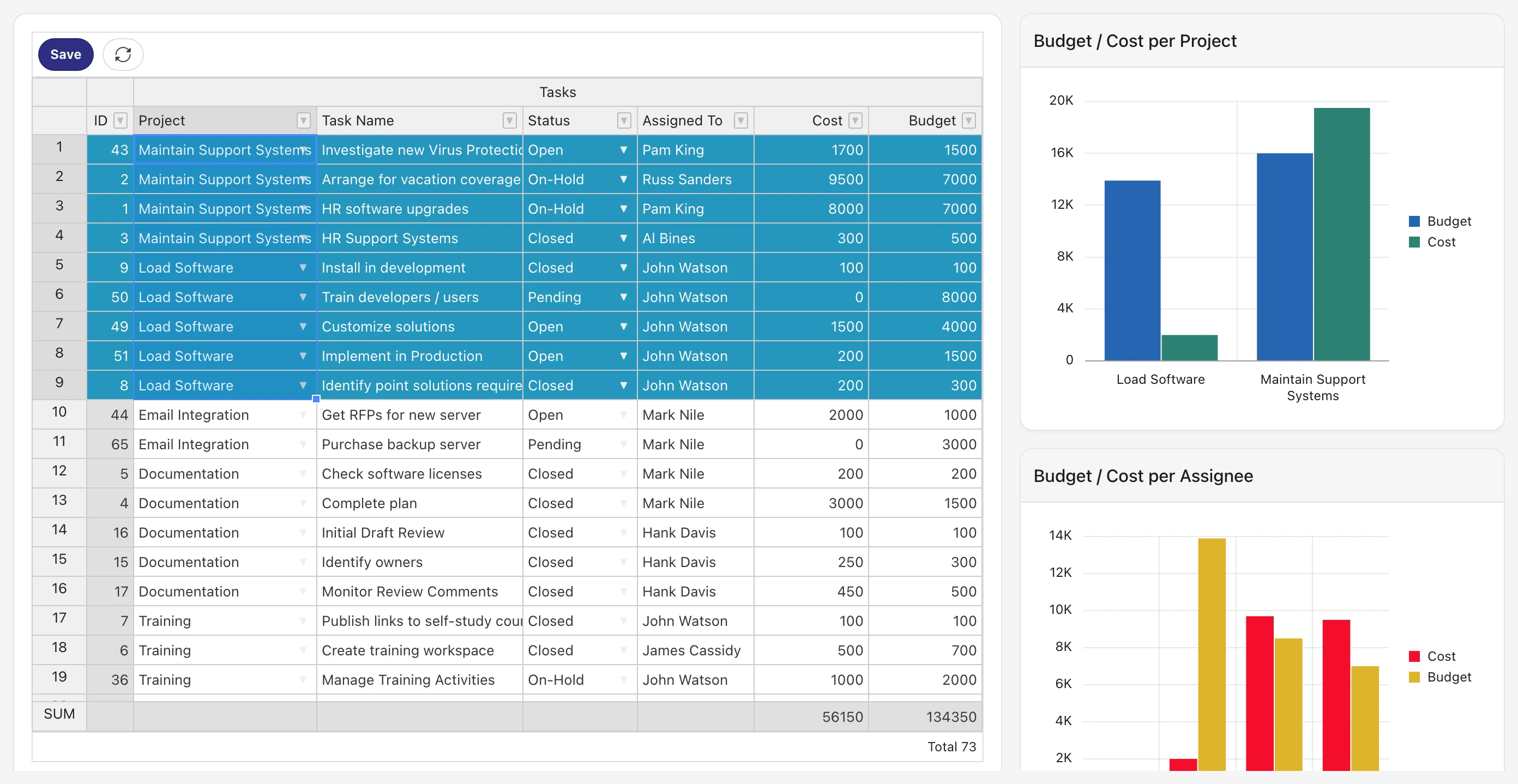
Use the selection to drive charts, combine a master and a detail grid, or edit rows in a modal dialog. The sample application shows these patterns and is included in the download.
Charts on selected rows
Master / detail grids
Modal dialog edit
Saved reports: primary, alternative and private
AND MORE
Built for real applications
Column filters & sort
Filter and sort by any column. It runs in the database and rows load as you scroll, so large tables stay fast.
Saved reports
Users save column layouts, filters and sort as private reports; developers publish primary and alternative ones.
Translatable
Every label and message is a text message you can translate.
Locale aware
Numbers and dates follow the session language and format masks.
Process all rows
Send unchanged rows to the server too, for validations across the whole data set.
Help in Page Designer
All attributes come with help text in the Page Designer Help tab.
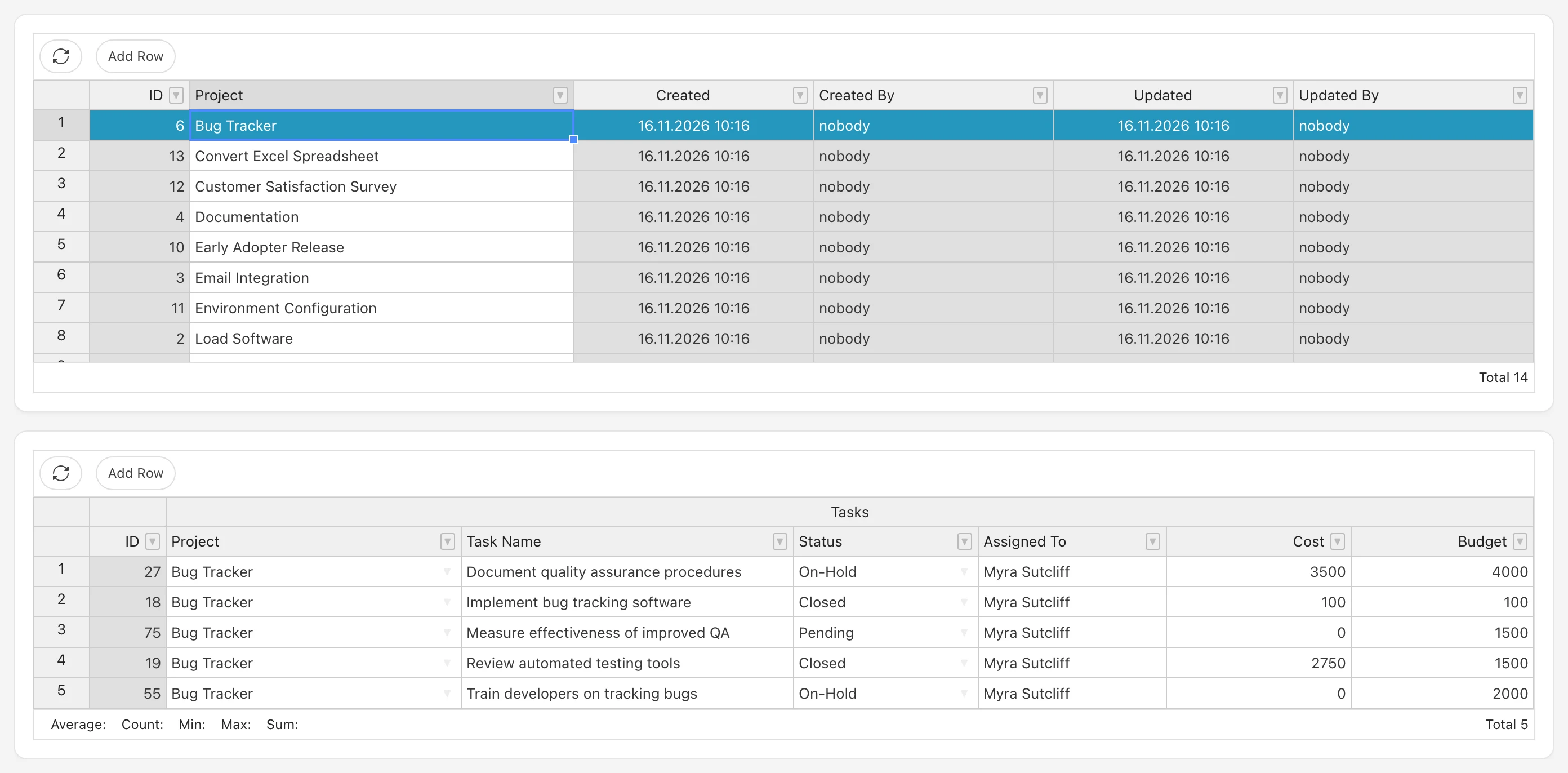
Master / detail in minutes
Select rows in one grid and show their details in a second one. Changes in both grids are saved together with a single button. Try it and all other examples in the live sample application.
GET STARTED
Try Enhanced Grid Pro in your own APEX app
Sign up for a free Plug-ins Pro account and start a free trial. Every plug-in comes with documentation, a sample application and support from the team that builds it.
- Type
- Region plug-in
- Level
- Gold
- Version
- 26.2
- Last update
- 8/4/2026
- Author
- Andraž Podobnik
- Requirements
- Oracle APEX 24.2 or later
- Oracle Database 12.2 or later
- Price
- €5,900 / $6,950 one-time, 20% annual maintenance
Get In Touch.
Questions or comments? Send them our way!
Questions about Enhanced Grid Pro, a quote, licensing or a custom plan? Send us a message and our team will get back to you.
Contact us