Skip to content
United Codes
UC AI · free and open source

Go Beyond APEX's Built-in AI

Oracle APEX comes with AI for the common cases. When you want more, UC AI gives you full control and the newest models from every major provider, in PL/SQL, inside your Oracle Database. Free and open source, no Python, and no 23ai or 26ai required.

  • 8AI providers
  • 12.2+Oracle Database
  • LGPL-3.0open source
  • 100%PL/SQL

What teams build with it

AI Features That Work With Your Data

Your data already lives in the Oracle Database. UC AI brings the model to it, inside the PL/SQL and APEX applications you already have.

Extract data from documents

Read invoices, forms, PDFs and photos and store the fields in your own tables, ready for validation.

Classify, route and summarise

Sort tickets, e-mails and requests by type and priority, and summarise them, as part of your PL/SQL logic.

Answer from your own content

Search documentation and past cases with embeddings and retrieval-augmented generation (RAG), like our own support portal.

Agents that take action

Let a model call your PL/SQL functions as tools, with the rules you set, to look up data and complete multi-step tasks.

How it looks

Classify Support Tickets in One PL/SQL Block

Describe the answer you want as a JSON schema, call uc_ai.generate_text, and write the result to your table. It runs where your data is, inside your transaction and your security model.

Change one parameter to switch provider, or point it at a local Ollama model when data may not leave your network.

declare
  l_schema json_object_t := json_object_t(q'#{
    "type": "object",
    "properties": {
      "category": {"type": "string", "enum": ["billing", "bug", "question"]},
      "priority": {"type": "string", "enum": ["low", "medium", "high"]},
      "summary":  {"type": "string"}
    },
    "required": ["category", "priority", "summary"]
  }#');
  l_result json_object_t;
  l_ticket json_object_t;
begin
  for t in (select id, body from support_tickets
             where category is null) loop
    l_result := uc_ai.generate_text(
      p_user_prompt          => t.body,
      p_system_prompt        => 'Classify and summarise this ticket.',
      p_provider             => uc_ai.c_provider_openai, -- or Anthropic, ...
      p_model                => uc_ai_openai.c_model_gpt_5_6_luna,
      p_response_json_schema => l_schema
    );
    l_ticket := json_object_t(l_result.get_clob('final_message'));

    update support_tickets
       set category = l_ticket.get_string('category'),
           priority = l_ticket.get_string('priority'),
           summary  = l_ticket.get_string('summary')
     where id = t.id;
  end loop;
end;
/

Why UC AI

More Control, the Newest Models

APEX's built-in AI covers the common cases. UC AI is for when you need more: every major provider, new models as they come out, and full control over what runs in your database.

The newest models, 8 providers

From OpenAI, Anthropic and Google Gemini to local models with Ollama. New models arrive with every release; switch with one parameter.

Control over every call

Versioned prompt profiles, reasoning settings, and structured output that matches your JSON schema.

Agents that use your PL/SQL

Models call your PL/SQL functions as tools, under your database security. Combine agents in workflows, orchestrators or conversations, with memory between runs.

Documents, images and RAG

Analyse PDFs and images, run OCR, and ground answers in your own content with embeddings, also on Oracle 19c.

A chat region for APEX

The APEX Chat plug-in puts an agent on any APEX page: set the agent code and the region works.

See and limit every run

Each run is one session with every agent, tool call and token used. UC AI Pro adds token budgets and rate limits for support-pack customers.

Supported providers

  • OpenAI
  • Anthropic
  • Google Gemini
  • xAI
  • Mistral
  • Ollama (local)
  • Oracle OCI
  • OpenRouter

Building multi-agent systems? Read the multi-agent guide for workflows, orchestrators and agent conversations.

Watch

Let AI Safely Run Functions in the Database

Case study

A RAG-Powered Support Portal, 100% On-Premises

Challenge: our support team spent a lot of time searching past tickets for similar problems and writing the same answers again.

Solution: a RAG system built with UC AI that searches our documentation and similar past issues, then helps the team analyse the problem and draft a response. It runs on our own infrastructure with Ollama, GPT OSS (120B) and mxbai-embed-large.

  • Instant knowledge search: finds relevant documentation and past issues in seconds
  • Complete data privacy: all processing on local servers, no data leaves the infrastructure
  • No API costs: open-source models, no per-request charges
  • Runs on Oracle 19c: no upgrade to 23ai or 26ai needed, thanks to an external vector store and UC AI

How we help

From First Use Case to Production

UC AI is free. When you want to move faster, we help you add AI features to your Oracle Database and APEX applications. Most teams start with one use case and build the next ones themselves.

  1. 1

    Pick the use case

    We identify realistic, high-value AI use cases for your data and applications, and choose the first one with you.

  2. 2

    Design the agent or workflow

    Prompts, tools, structured output and the checks around them, designed on UC AI for your environment.

  3. 3

    Choose the provider

    Cloud or local models, based on data sensitivity, quality and cost. UC AI keeps you free to switch.

  4. 4

    Build it with your team

    Your developers work alongside ours, so the next AI feature is one they build themselves. Training is part of it.

Tell us what you want to build

By submitting this form, you agree to be contacted about this enquiry. We respect your privacy and will never share your information.

From the blog

AI and Oracle APEX

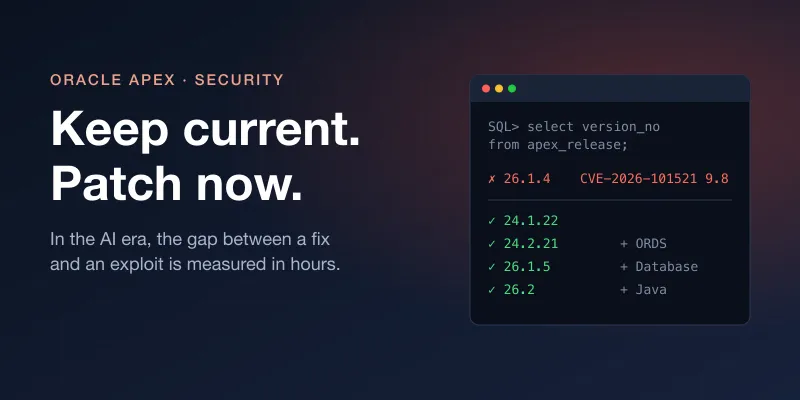
AIKeep your Oracle APEX up-to-date in the AI era

The October 2026 Critical Patch Update fixes a 9.8 Oracle APEX vulnerability that needs no login. With AI finding bugs and writing exploits in minutes, staying current is the only real defense. How to check your versions and which patch level you need.

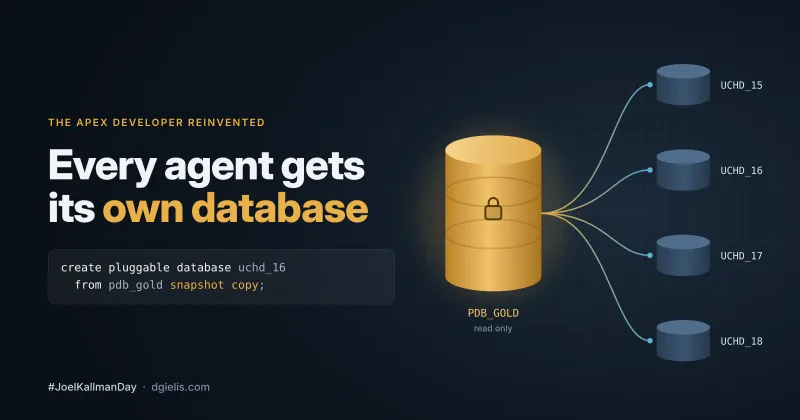
AIEvery Agent gets its own Database #JoelKallmanDay

Give every ticket, and every AI agent, its own Oracle Database in seconds: a snapshot copy of a golden PDB with its own schema, data and Oracle APEX workspace, with SQL or over ORDS REST.

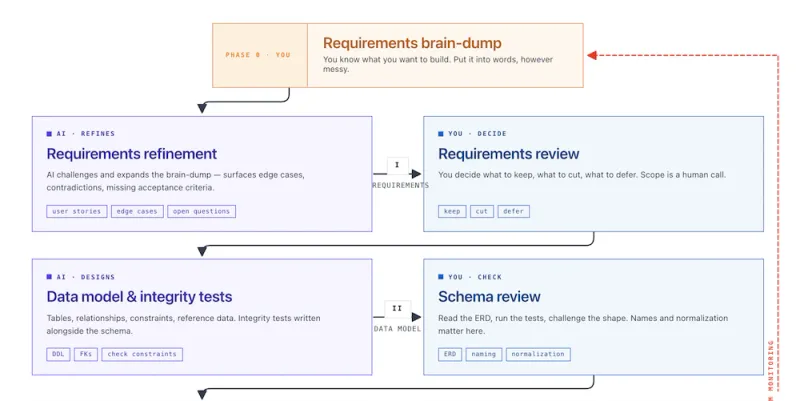
AIGathering requirements

Writing the requirements for my World Cup 2026 app by voice, with Claude and ChatGPT reviewing each other: six rounds of refinement, and features I would never have thought of alone.

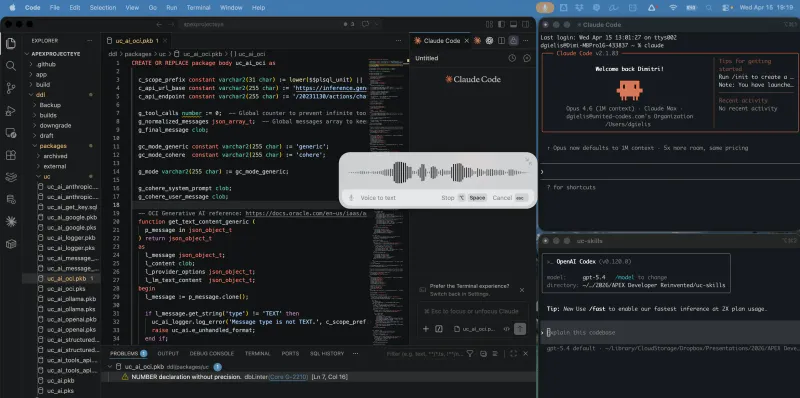
AISetting Up Your APEX Developer Environment for the AI Era

The setup I use to build Oracle APEX apps with AI agents: VS Code, Claude Code and Codex, skills, SQLcl, Git, and a local Oracle Database and Oracle APEX in Docker. Step by step, so you can reproduce it.

AIThe APEX Developer Reinvented

AI can generate a working app in minutes, but would you run it as enterprise software? Why the Oracle APEX developer becomes a designer, orchestrator and validator.

APEX Project Eye (APE)Custom Sensor Attribute Labels in APEX Project Eye (APE) 26.2

APE Watchtower is the alarm system for your APEX applications: you set up sensors that monitor your applications, database, external services, or even business processes, and if one of them detects something fishy, Watchtower raises the alarm: on your Watchtower Dashboard, in your APE Inbox, or by email.