

APEX Office Print (AOP)Creation of complex Pivot table in XLSX with the help of AOP
This blog will help you understand the usage of normal/vertical loops of AOP and horizontal loop of AOP to create complex pivot tables.

 APEX Office Print
Template-based printing and document generation for APEX
 APEX Media Extension
Image processing for the Oracle Database
 APEX Office Edit
Office document editing for APEX
 Plug-ins Pro
Professional APEX plug-ins built and maintained by our team
Cloud Office PrintTemplate-based printing and document generation for any technology
 APEX Project Eye
Quality assurance & productivity tool for APEX developers
 APEX Message Service
Real-Time communication in APEX
 dbLinter
Boost database quality with automated code reviews
 APEX Document Management
APEX-based enterprise document management platform
 UC AIFree
Free, open-source PL/SQL SDK for AI in the Oracle Database

Designed with the finest details in mind, Cloud Office Print is a flexible engine enabling your application to generate Office, HTML, Text and PDF-documents in no time and effort - we make report generation easy.
Get started for freeCloud Prints
Different Countries
Users

Create a template for your document in Word, Excel, PowerPoint, HTML, or even text or Markdown.

Choose the data you want to integrate into the document from your database.
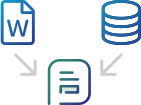
Use Cloud Office Print to combine your template with the data you defined.
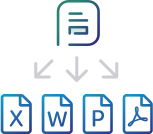
Your document is instantly created in Office (Word, Excel, PowerPoint), PDF, HTML, Markdown or Text!
Cloud Office Print makes report generation in your application easy. Design a template in Office, HTML or text; choose your data from your application using the SDK and merge them into one. You can easily export the result to Office or PDF and have your document in no time. Cloud Office Print saves you time and effort by allowing you to define templates in which you can integrate your data.
Create templates for your data in Word, Excel, PowerPoint, HTML, Markdown or Text.
Define your data and integrate it into your report template. Print out or export the data with great ease and little effort.
Save time, effort, and most importantly: money. We make printing and reporting of data easy because we care about your business.
It’s fast, easy and saves you money. There is no easier way to print and report data in your application than by using Cloud Office Print.
Cloud Office Print allows you to create templates in Word, Excel, PowerPoint, HTML, Markdown and text for any kind of data.
Import the Cloud Office Print SDK in your application and you're up and running.
Cloud Office Print is a scalable and secure product that fits your every need in printing and reporting of data.
We take pride in providing great design with the finest details, optimized to get the job done - so your job is easier!
Words, images, bar codes, formulas... it is easy to merge your data with any template you designed in Cloud Office Print. Data can come from anywhere; Local DB, Remote DB, Web Source, REST web service, ...
Unique features of Cloud Office Print
Under the hood Cloud Office Print is using JSON. This makes it easy to use from any technology.
Cloud Office Print can generate native Word, Excel, and PowerPoint charts. We also support other SVG and HTML5 charting engines.
No new infrastructure is needed for Cloud Office Print; you can use it as a cloud service. If you opt for on-premises, you can install it on your own server(s).
Pricing
Forever (no strings attached)
100 reports/month
Unlimited dev reports*
Word
Excel
PowerPoint
HTML5
Text/Markdown
Community Support
Extra reports 28ct/report (min €14)
1000 reports/month
Unlimited dev reports*
Word
Excel
PowerPoint
HTML5
Text/Markdown
Email Support
Extra reports 28ct/report (min €14)
2250 reports/month
Unlimited dev reports*
Word
Excel
PowerPoint
HTML5
Text/Markdown
Email Support
Extra reports 28ct/report (min €14)
35000 reports/month
Unlimited dev reports*
Word
Excel
PowerPoint
HTML5
Text/Markdown
Email Support
Extra reports 28ct/report (min €14)
If you need more reports or are interested in a custom plan, please contact us.
*A report is a request to our server for a document (docx, xlsx, pptx, pdf, html, md, txt).
Server location: Our cloud servers are located in Dublin, Ireland (EU).
VAT: Prices exclude VAT. Belgian customers pay 21% VAT. Other EU customers pay VAT only if they have no valid VAT number. No VAT applies outside the EU.
Security: By using https all traffic between your server and ours is encrypted. On our server the data is un-encrypted in memory, because we need to do the merge of the template with the data. This un-encrypted state is only for the duration of the merge, no data is saved on our servers. The resulting file is sent back encrypted again.
Free Trial: You can try any Cloud Office Print on-premises option on your own server, but the output contains a trial watermark until a license is purchased.
Advanced PDF Features: These include PDF form creation, PDF form filling, reading & querying PDF forms, signing PDFs, and locking/flattening PDFs.
Unlimited Reports: There are no report limits with the on-premises version.
It is strictly prohibited to run Cloud Office Print on a public server (different prices apply for hosting). Please contact us for OEM or SAAS.
Upgrading from one package to another can be done by paying the difference.
VAT: Prices exclude VAT. Belgian customers pay 21% VAT. Other EU customers pay VAT only if they have no valid VAT number. No VAT applies outside the EU.
Maintenance & Support: Optional 20% maintenance and support fee per year starting from second year (includes standard support and free software updates).
Tip: Budget cap of 5K? Buy Bronze and upgrade to Silver later.
Each license package includes the ability to run Cloud Office Print on 2 servers (machine ids) so that you can set one as the fail-over for the other. You can install Cloud Office Print on a machine which can be reached by your different environments (DEV, TEST, QA, PROD) or install Cloud Office Print on different machines to separate the environments. There's also the option to go with an Enterprise version which means you can install Cloud Office Print on many different servers (6 by default, but on request we can agree on more).
Find trusted partners in your region who can help you implement and support Cloud Office Print
View Our Resellers
Get In Touch.

Questions about Cloud Office Print, a quote, licensing or a custom plan? Send us a message and our team will get back to you.
Contact usUnited Codes Blog
This blog will help you understand the usage of normal/vertical loops of AOP and horizontal loop of AOP to create complex pivot tables.
We are happy to announce that APEX Office Print (AOP) 23.1 is available for download at apexofficeprint.com!
For our on-premises users, we have redesigned the WebEditor so that you can quickly test AOP features and get an overview of your instance. Easily combine templates, data, and files to test your reports and experiment with AOP features directly from the WebEditor.

So I thought to create an example and see what it would take to get the Saved Report name in the document. I went into the AOP Sample Application and clicked on the example where there are Saved Reports for an Interactive Report. The way I understand the question is how to use the name of the saved report, in our case, "3. Highlight", in the export to Excel or PDF.

In almost every Oracle APEX application, I create a Report with Form to edit the data. From time to time, I get the question of how first to save the record and next print or download the document.

Sometimes you expect to see some data in your Oracle APEX application, and it's not there... in this post, I will describe one use case I see more often and how to solve it.