
In almost every Oracle APEX application, I create a Report with Form to edit the data.
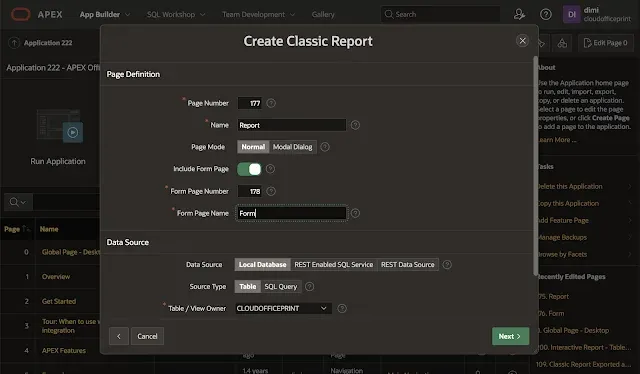
On this Form many people add a Print button to generate a document for this specific record.
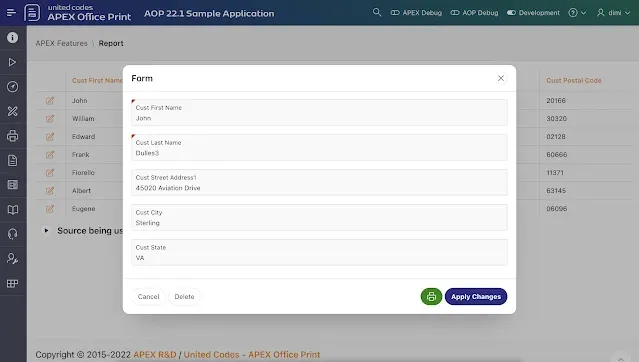
From time to time I get the question how to first save the record and next print or download the document.
Here are the 5 steps to do this:
1. Duplicate the Save button and name the button Print. Or alternatively create the Print button from scratch and make sure to set the action to Submit, the Database Action to SQL UPDATE action, and make it conditional to only show when the PK is not null.
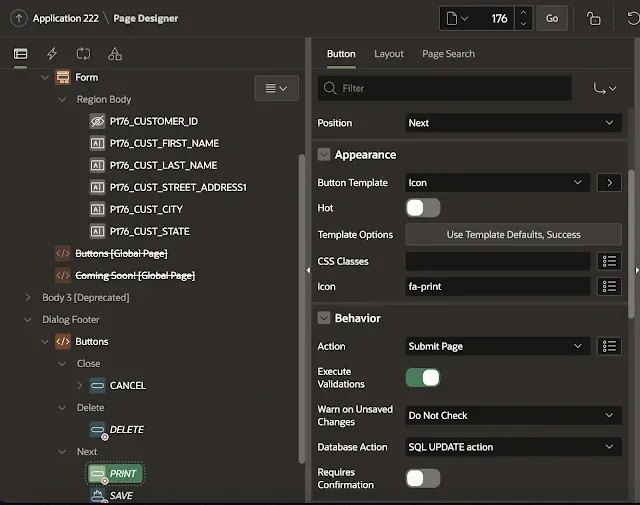
This will make sure when the automatic row processing is performed the update is happening.
2. In the processing section, create a Branch with a Server-side Condition when button pressed PRINT.
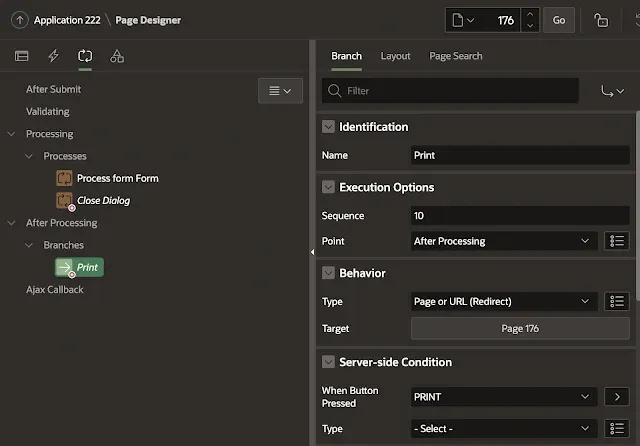
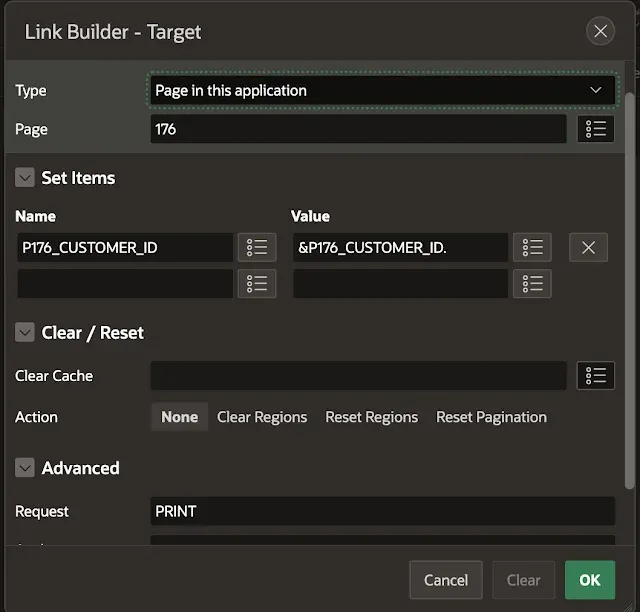
When clicking the Target button in the Branch, link to the same page, and pass the item with the primary key and most importantly set the Request to PRINT.
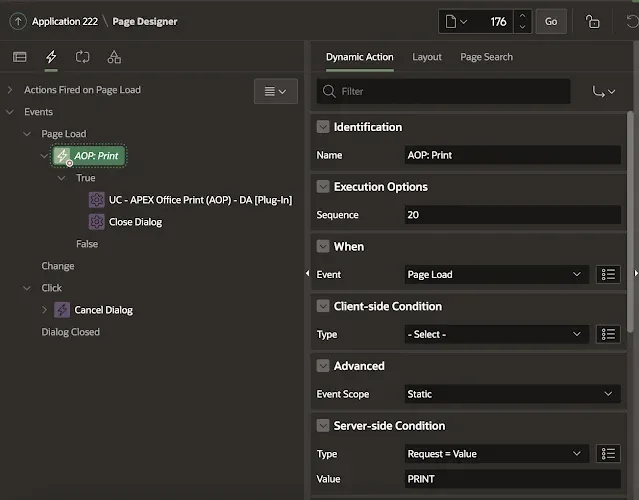
3. Create a new Dynamic Action called AOP Print which runs on Page Load with a Server-side Condition that the Request value = PRINT (as we defined in the Branch).
4. Add as True Action the APEX Office Print (AOP) dynamic action (DA) plug-in. Specify the template and data (SQL) and the output you want (PDF). We want the document to download into the browser.
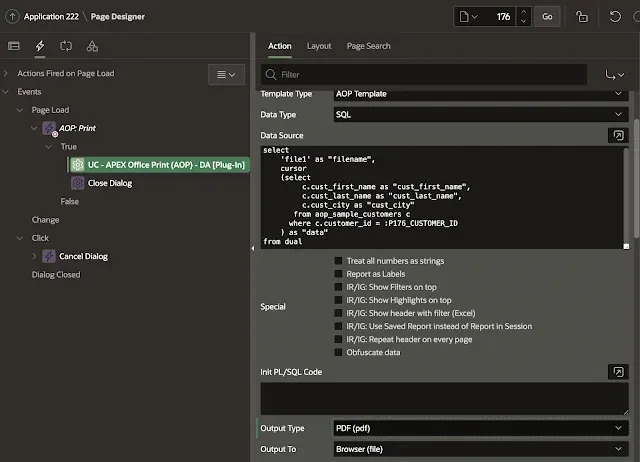
Optionally, add another True action to Close the Dialog in case your Form is a dialog and you want it to automatically close.
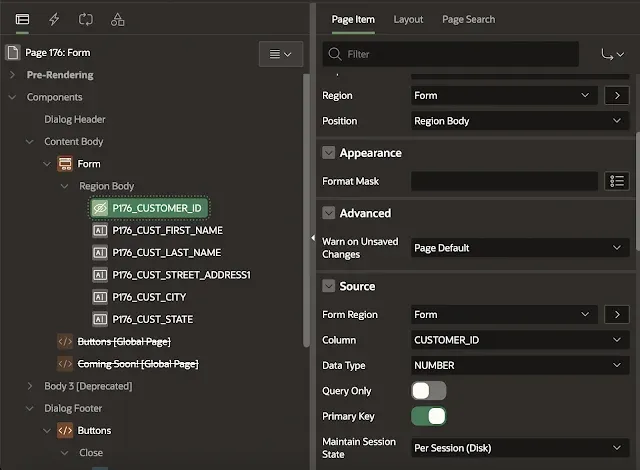
5. When you download the document, it might be empty. This is because our PK isn’t known to the AOP process. See my previous blog post which goes in more details. So the final step is to set Maintain Session State: Per Session (Disk) for the primary key item.
And that’s it… now when you click the Print button, it will save the record first and next download the document to the browser (and optionally close the dialog of the Form).