

TL;DR: Instead of hard-coding format masks throughout apps, we can reuse Oracle APEX’s in-built date substitution strings or create our own, which we can then reference in the page designer. This way, we only define them once and ensure our UI is consistent.
Date Globalization Preferences
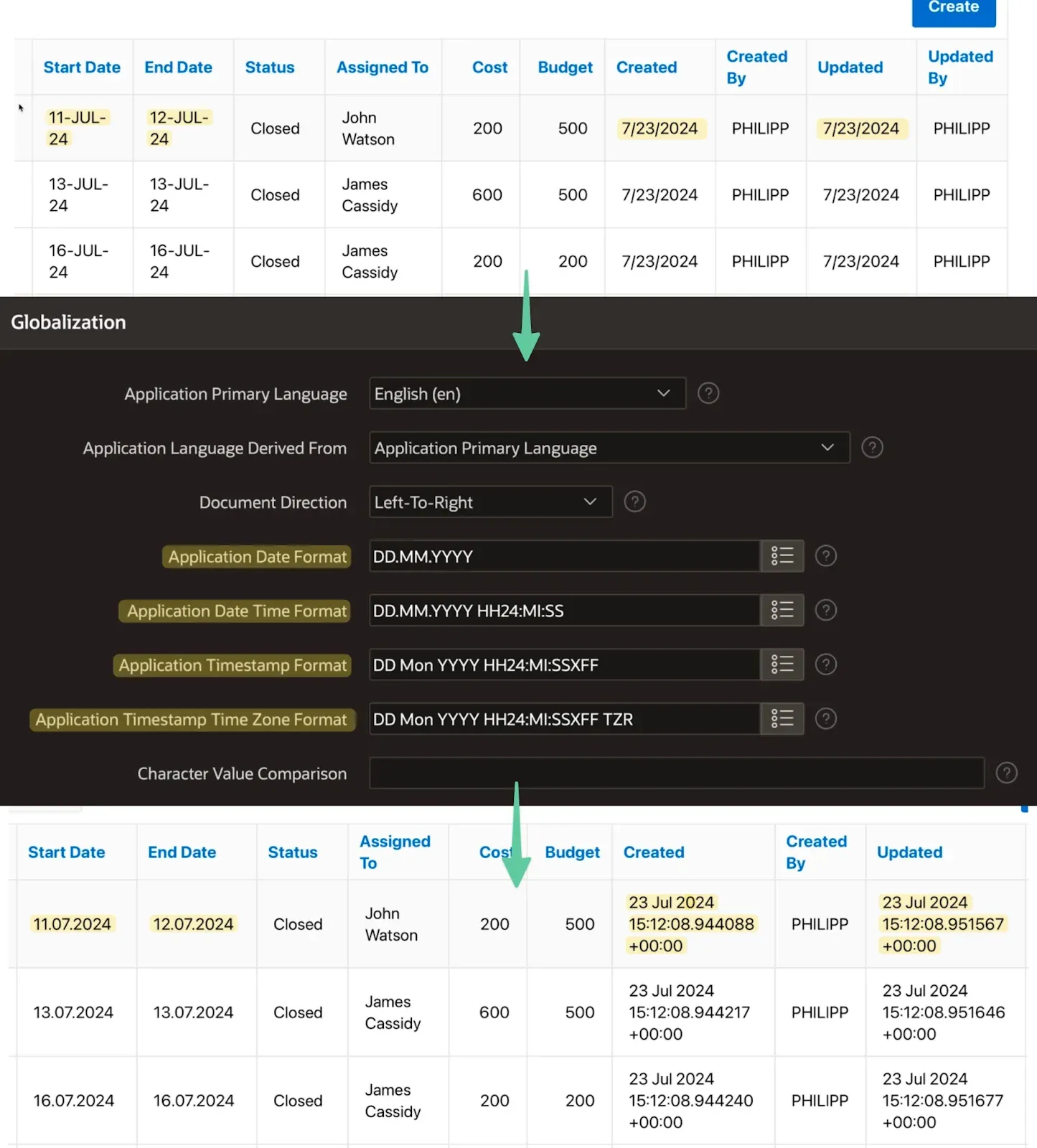
You probably already know about the “Globalization Attributes” page in the Shared Components of any app. Next to language settings, we can define four date formats, ranging from basic dates to time with different specificities and even time zones. These are empty per default, causing the app to use the session settings to display dates in any report or form where a format mask is not defined.
When we set these globalization attributes, APEX will instead use the “Application Date Format” for date columns and the matching timestamp format throughout the application.
Customizing Date-Time Format for Audit Columns
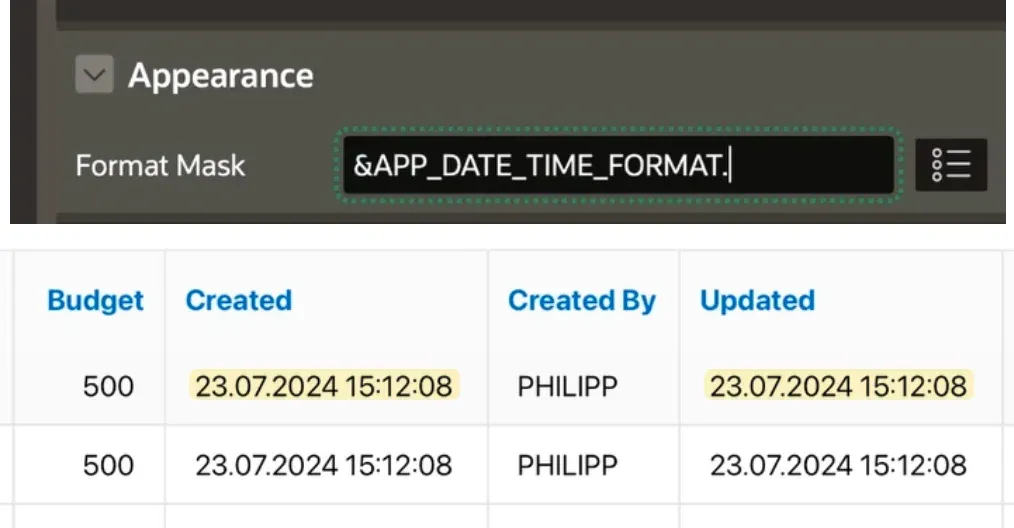
While, in my case, the “created” and “updated” audit columns display sub-seconds and timezone information, I think it is rather overwhelming to show this much detail to users. To fix this, we can provide a format mask for the report column or page item. A static one like “DD.MM.YYYY HH24:MI:SS” would get the job done, but then we would have to repeat this in many parts of the application. There is always a risk of mistyping it, and if I wanted to change this in the future, it would be a lot of work again.
Luckily, APEX provides the globalization values as substitution strings, which we can use instead:
- Application Date Format: &APP_NLS_DATE_FORMAT.
- Application Date Time Format: &APP_DATE_TIME_FORMAT.
- Application Timestamp Format: &APP_NLS_TIMESTAMP_FORMAT.
- Application Timestamp Time Zone Format: &APP_NLS_TIMESTAMP_TZ_FORMAT.
Why the date-time format does not include _NLS_ where the others do is a mystery. Nonetheless, we can just reference the date and time format in our columns “Format Mask” to get our desired result:
Quality Assurance scans with APEX Project Eye
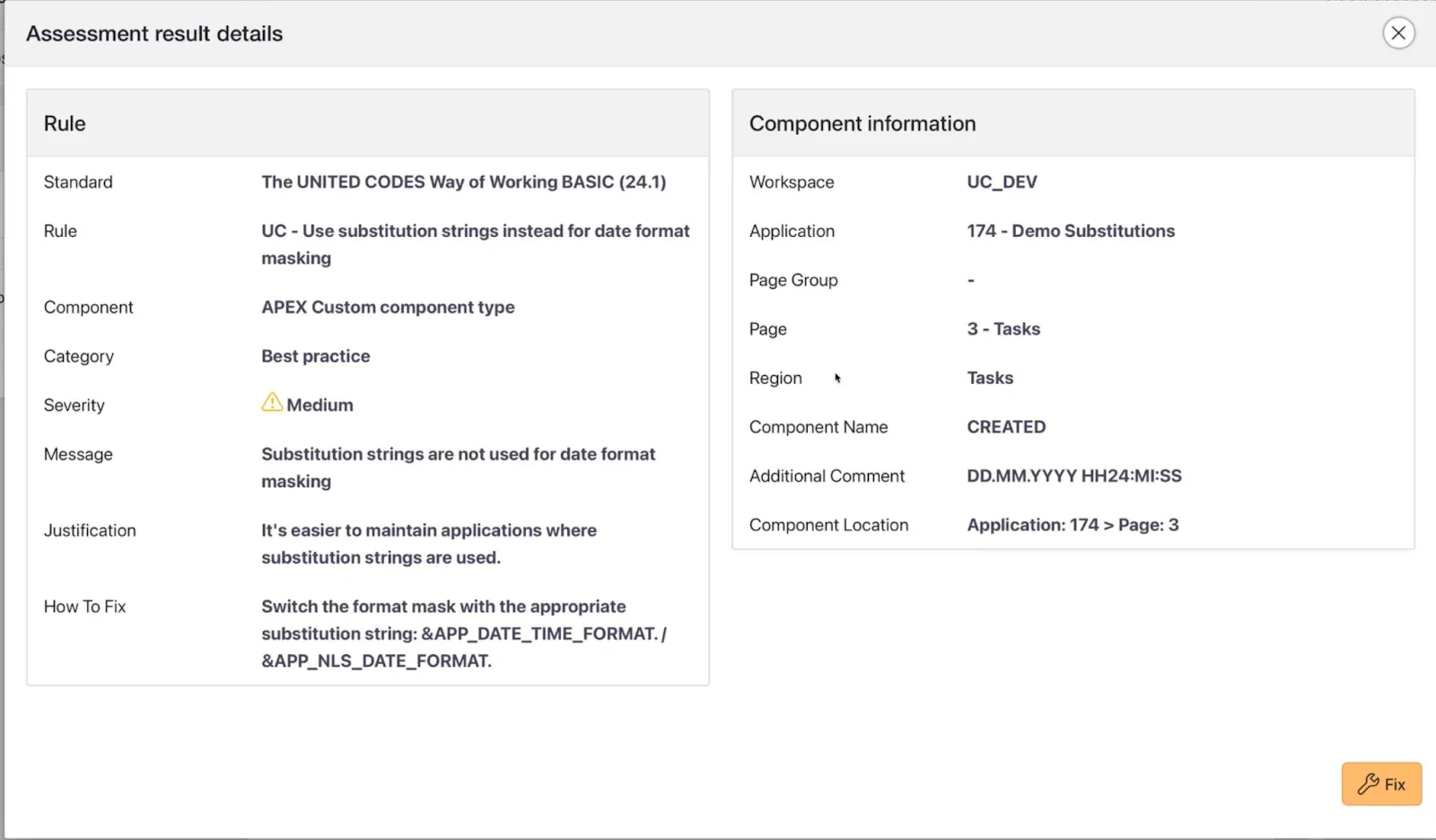
To make sure we really follow this best practice in our United Codes applications, we created a rule for our APEX Project Eye tool. When we then run a quality assurance scan of our whole ruleset on the application, we get an entry in our issues table for each occurrence where we didn’t follow the best practices. We can either click “fix” to open a new tab in the page designer directly at the column where the violation occurred or add an exception so it does not come up in future scans.
Custom Number Formats
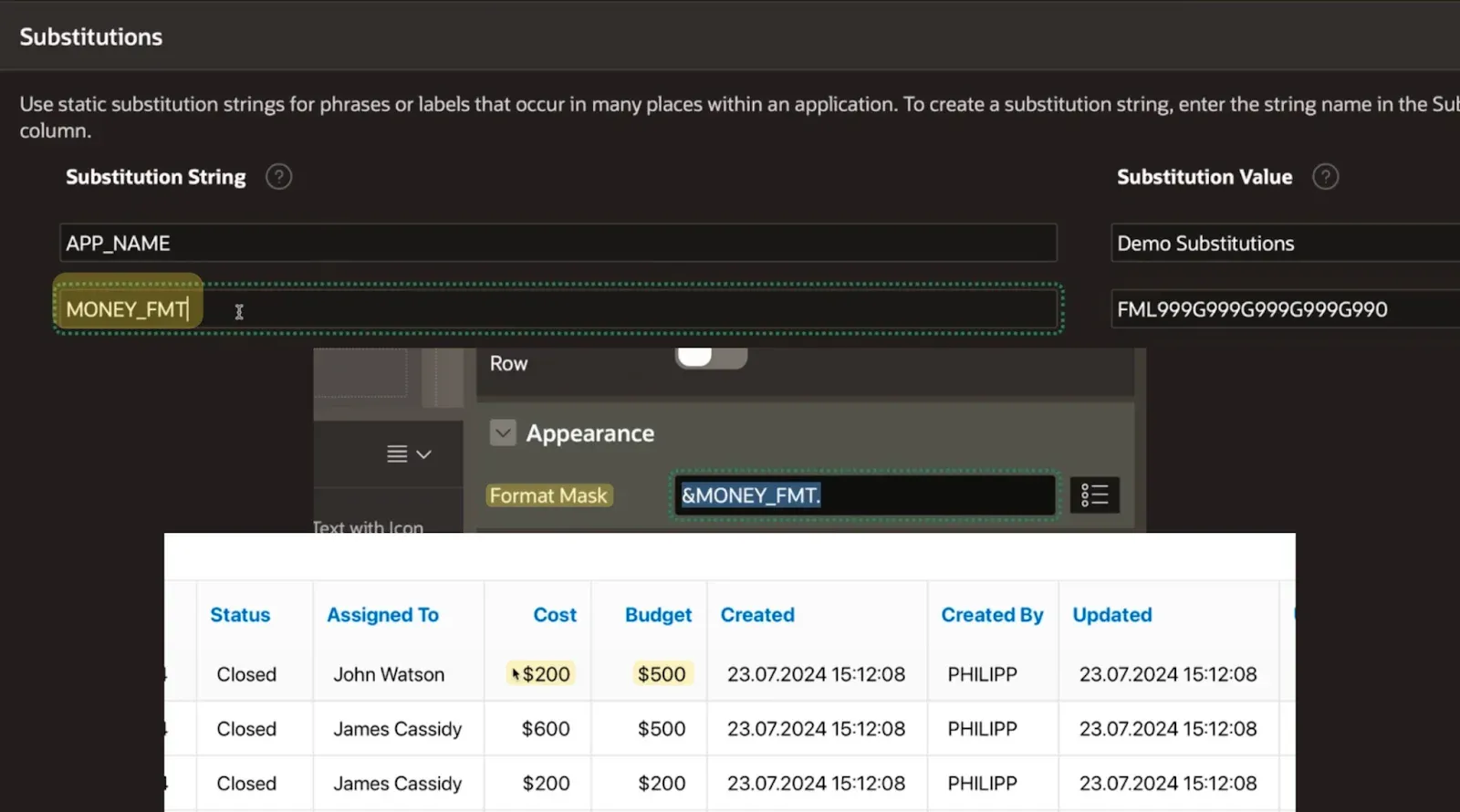
We also display costs and budget information throughout the application. Unfortunately, there is no number format mask attribute on the globalization page. Instead, we can create our own substitution string in the Shared Components under “Application Definition”. Give your format mask a fitting name and use it wherever you like, the same way as the date substitutions.
Conclusion
By utilizing substitution strings in Oracle APEX, you can efficiently manage and apply consistent date, time, and number formats throughout your application. This method simplifies maintenance and increases the consistency of your APEX applications.
Thank you for reading! I hope you find this tip helpful in your development journey. You are welcome to leave comments and suggest future topics. See you in the next post!