
After my previous post, in which APEX Office Print (AOP) was used to generate a monthly timesheet, I was asked if I could provide a similar example using the Sample Database Application. Well, here we go!
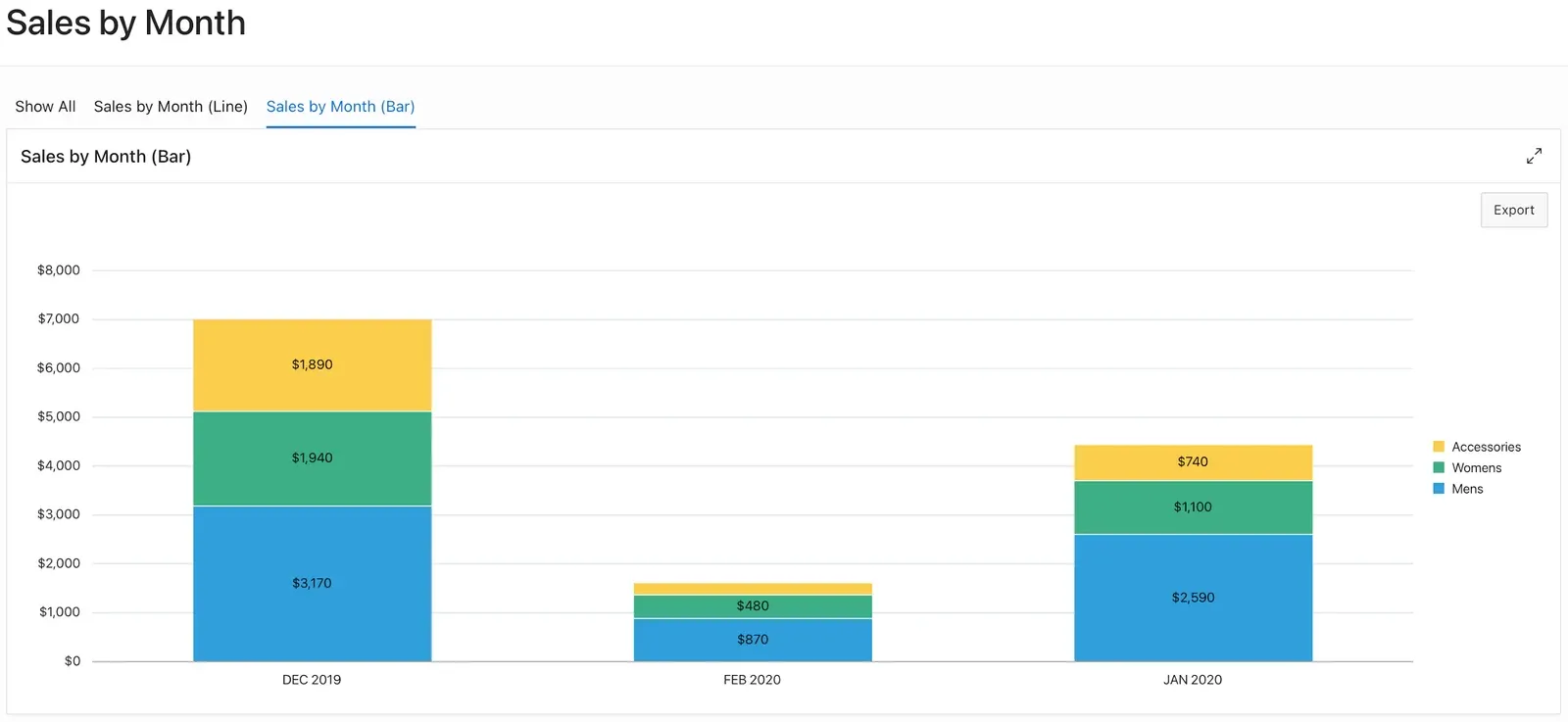
Of course, there are lots of different use cases, but for this example I want to generate an overview with product sales for each category, grouped by period with subtotals. I’m choosing the Sales by Month report as a starting point for our AOP export.
I started by creating an Export button and an on-click dynamic action with UC - APEX Office Print (AOP) - DA [Plug-In] as the event. These are the settings:
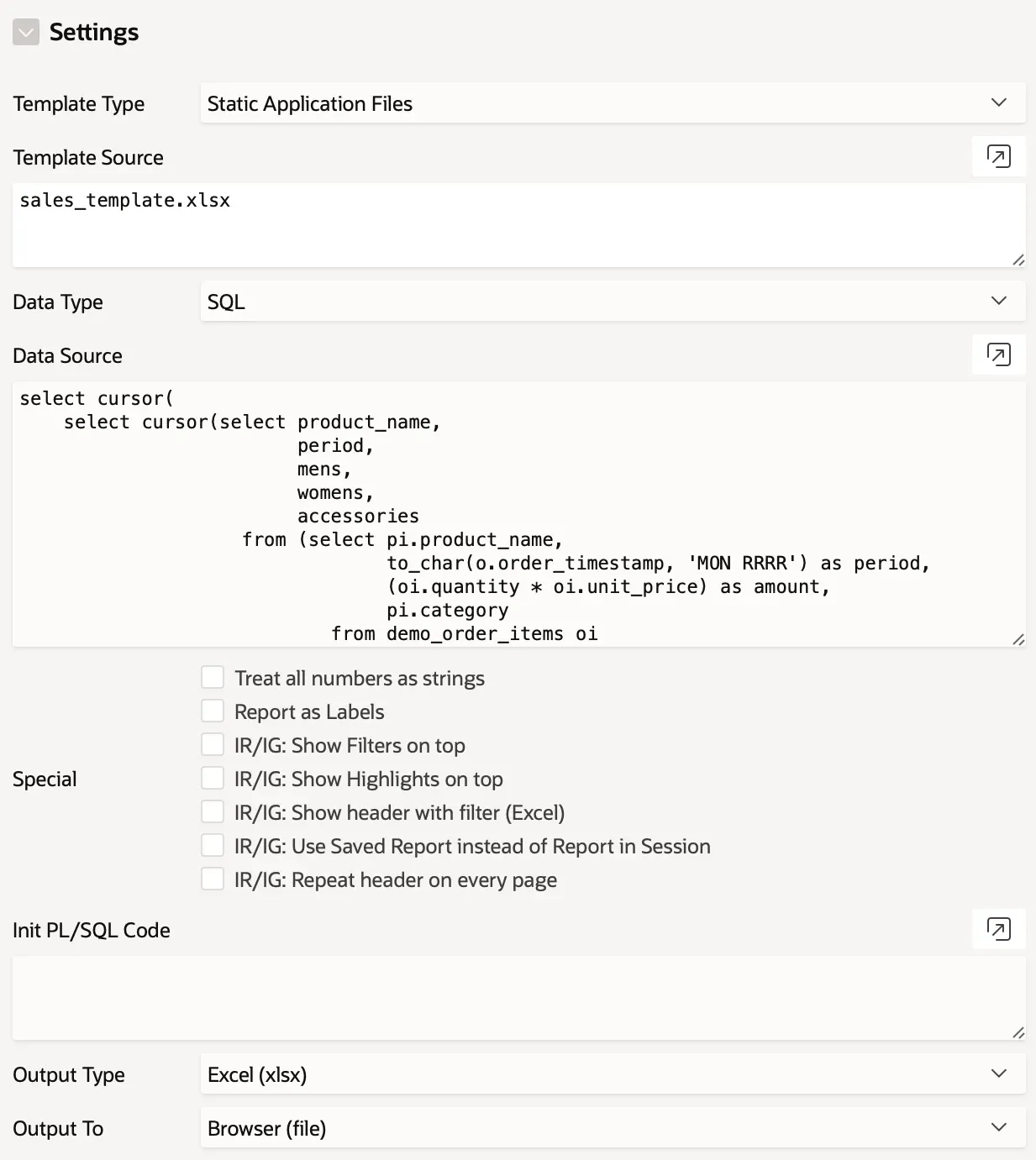
The following query returns the data I need. By using the pivot operator, the results for each category (Mens, Womens, Accessories) are available. Keep in mind that the final result should be inside a “data” cursor.
select cursor (
  select cursor (
    select product_name,
           period,
           mens,
           womens,
           accessories
      from (select pi.product_name,
                   to_char(o.order_timestamp, 'MON RRRR') as period,
                   (oi.quantity * oi.unit_price) as amount,
                   pi.category
              from demo_order_items oi
              join demo_orders o
                on o.order_id = oi.order_id
              join demo_product_info pi
                on pi.product_id = oi.product_id
             order by o.order_timestamp)
     pivot (sum(amount) for (category)
              in ('Mens' as mens,
                  'Womens' as womens,
                  'Accessories' as accessories))) as sales
    from dual) as "data"
  from dual
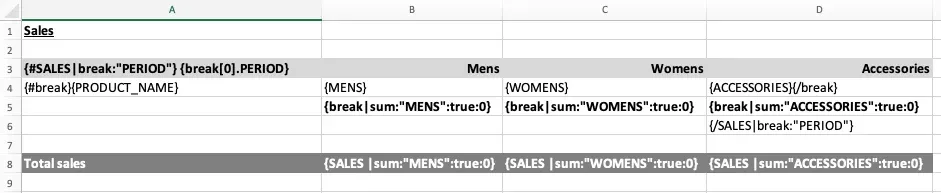
For the template, I used an Excel template called sales_template.xlsx which was uploaded to the Static Application Files in my APEX application. The ‘{#SALES|break:“PERIOD”}’ tag (AOP documentation) is used to group the results for each period.
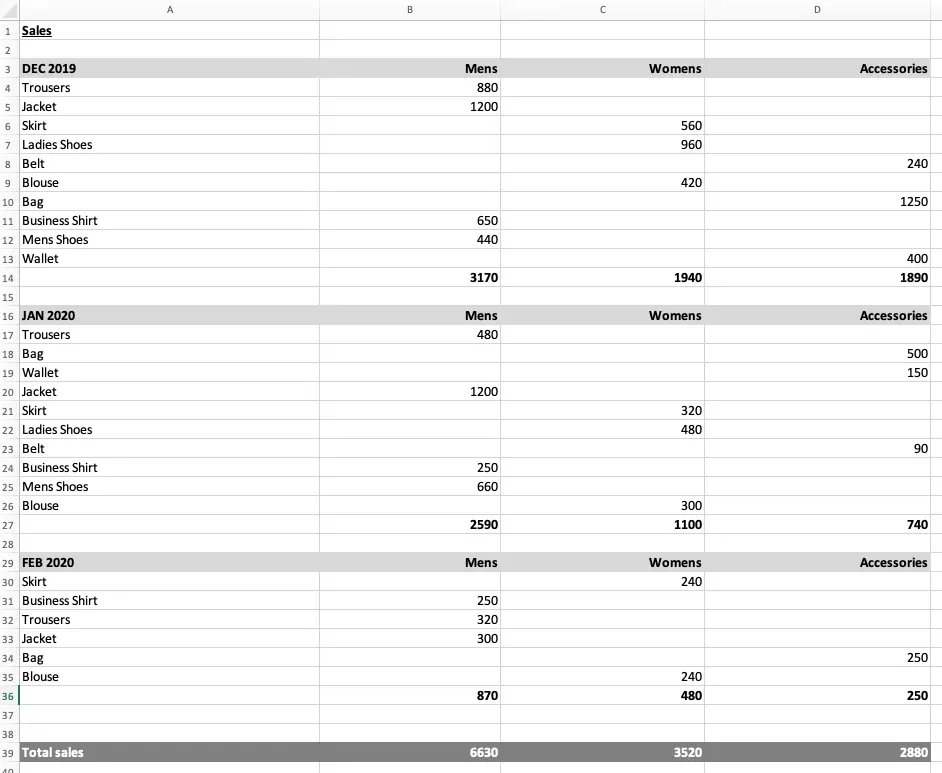
After clicking the Export button, our report is generated.:
If you want to try out more examples, make sure you install the AOP Sample Application or try out our online version. And, if you would like more details on the techniques used in this example, please read my previous blog post.
Kevin.
Author: Kevin Thyssen