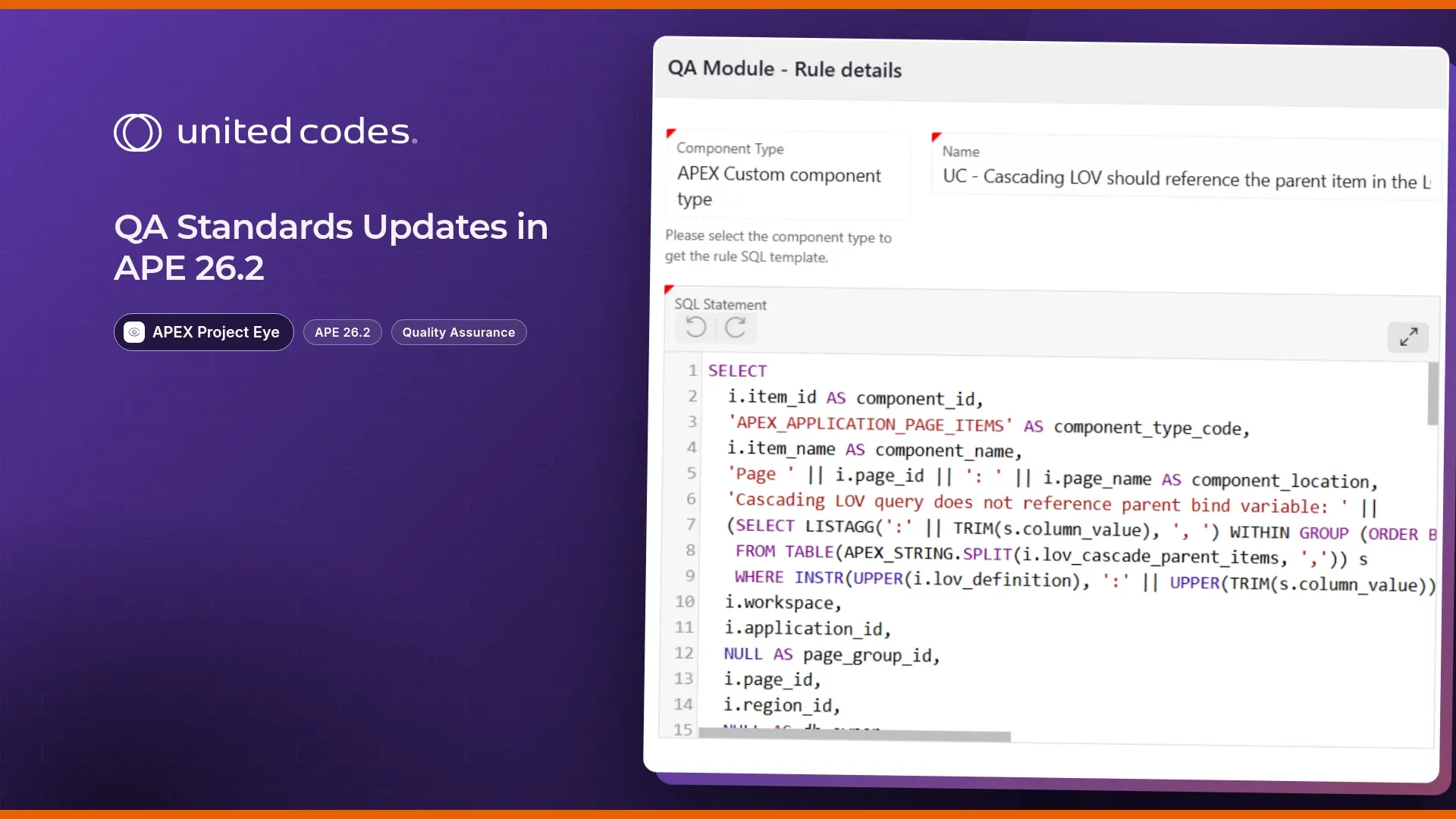
Nobody remembers every convention their team has agreed on: that every application button also needs a Push Icon Hover Animation, that an editable Interactive Grid should have a primary key defined, that a JavaScript API got deprecated three APEX releases ago. That’s what APEX Project Eye’s Quality Assessment feature is for: you run it against an application, and it checks the app’s metadata against a Quality Standard, a named, versioned set of rules, and hands back a list of findings for anything that doesn’t match.
APEX Project Eye 26.2 adds 12 new rules to the UNITED CODES Way of Working standards and 17 new checks to the MIGRATION standard for Oracle APEX 26.1. The new rules ship with the 26.2 upgrade, you just need to load them from the Quality Standards section to make them available in your assessments.
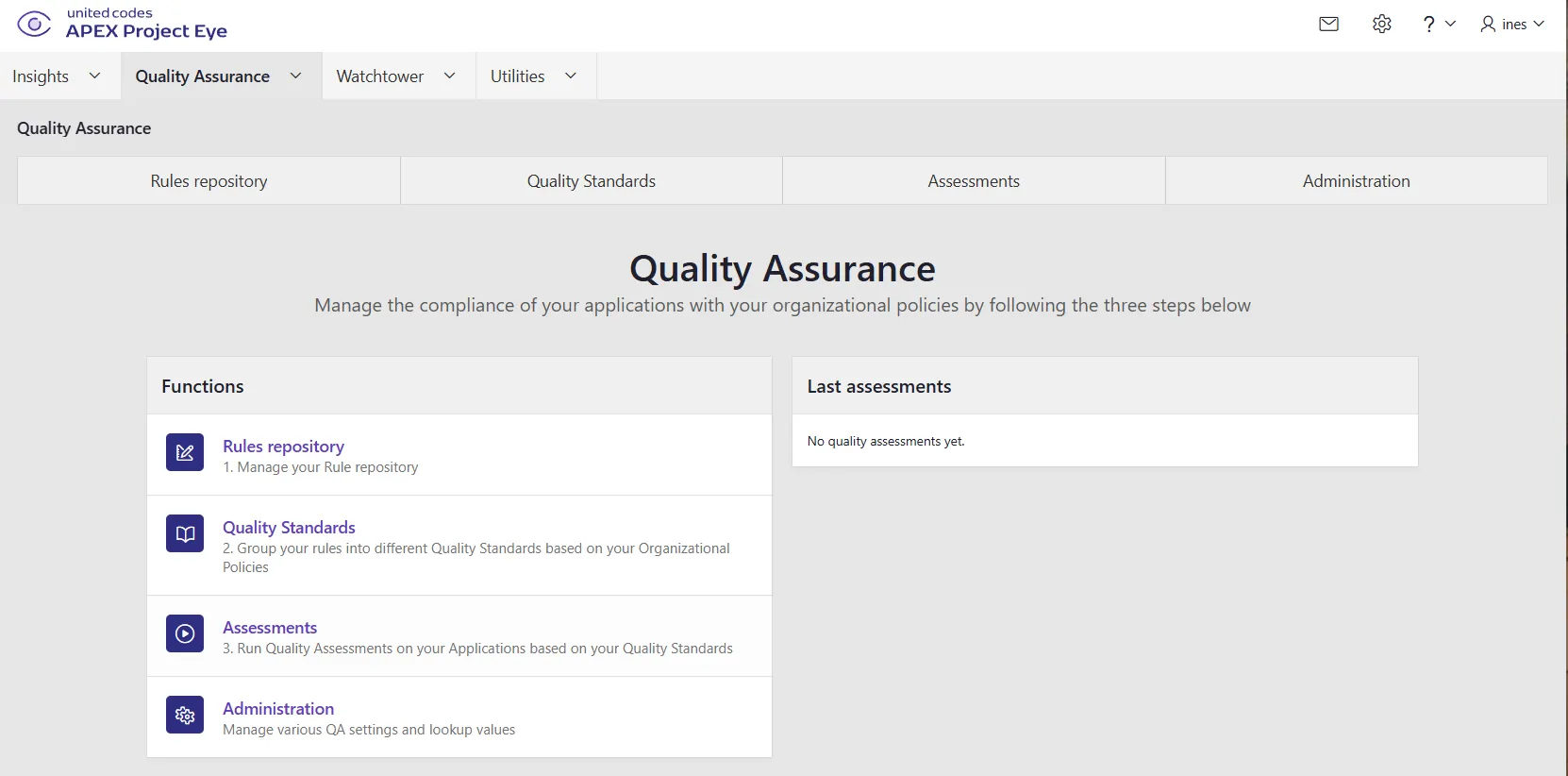
APE’s Quality Assurance Dashboard
New to Quality Assessments? Here’s the short version
Already running APE’s Quality Assessments against your apps? Skip ahead to 11 new rules in the BASIC standard.
A Quality Standard is a named, versioned bundle of rules. APE ships three: BASIC (broadly applicable conventions, safe to run against any app), ADVANCED (more opinionated or situational checks), and MIGRATION (checks that only make sense if you’re preparing to move to a specific target Oracle APEX version). You pick one or more standards, run a Quality Assessment against an application, and get back a findings list: one entry per rule violation, pointing at the exact page, region, or item responsible.
Quality Standards aren’t fixed as shipped: from the Quality Assurance area you can manage rules in the Rules repository, group them into your own Quality Standards under Quality Standards, and adjust settings under Administration — so BASIC, ADVANCED, and MIGRATION are a starting point you can extend or retune, not a locked-in checklist. Here’s how to get from a fresh workspace to your first assessment:
From the APE Workspace Dashboard, select the Quality Assurance tab. You will be presented with APE’s Quality Assurance Dashboard.
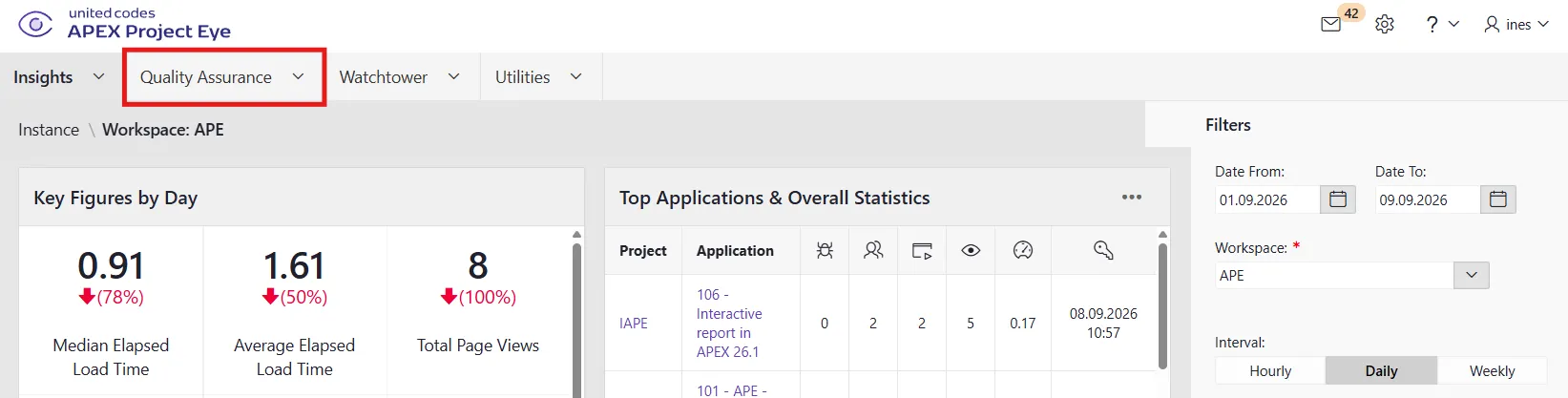
APE Workspace Dashboard with the Quality Assurance tab highlighted
To run a Quality Assessment, select Assessments.
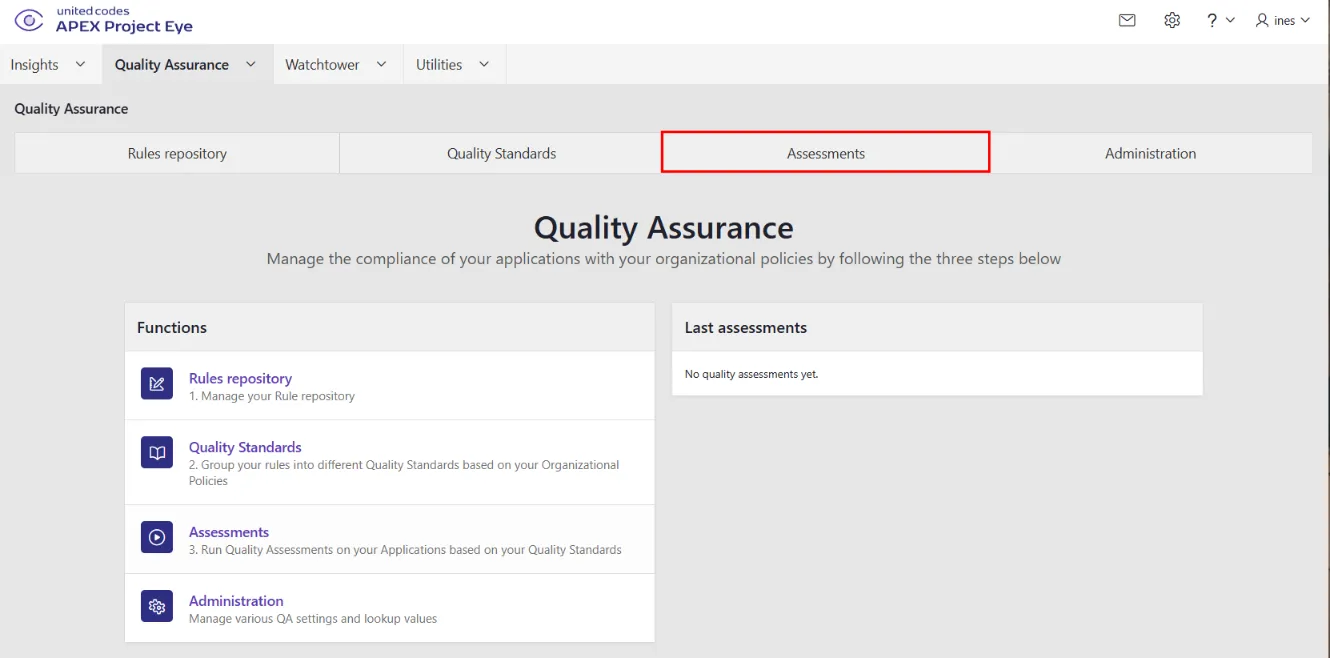
Quality Assurance tab bar, with Assessments highlighted
Running Quality Assessments
Before running Quality Assessments, you need to define where the Assessments should be run and which Standards should be assessed. APE offers the following scope levels:
- Workspace
- Application
- Page Group
- Page
- Database Schema
It’s also possible to combine multiple scope levels:
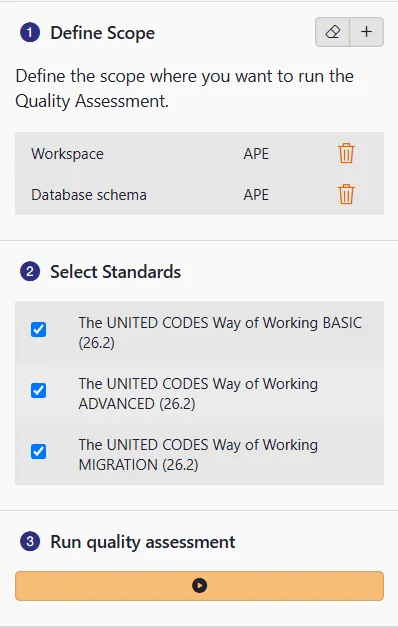
Define Scope and Standards for the Assessment
After selecting the scope and standards, start the assessment and let APE process it.
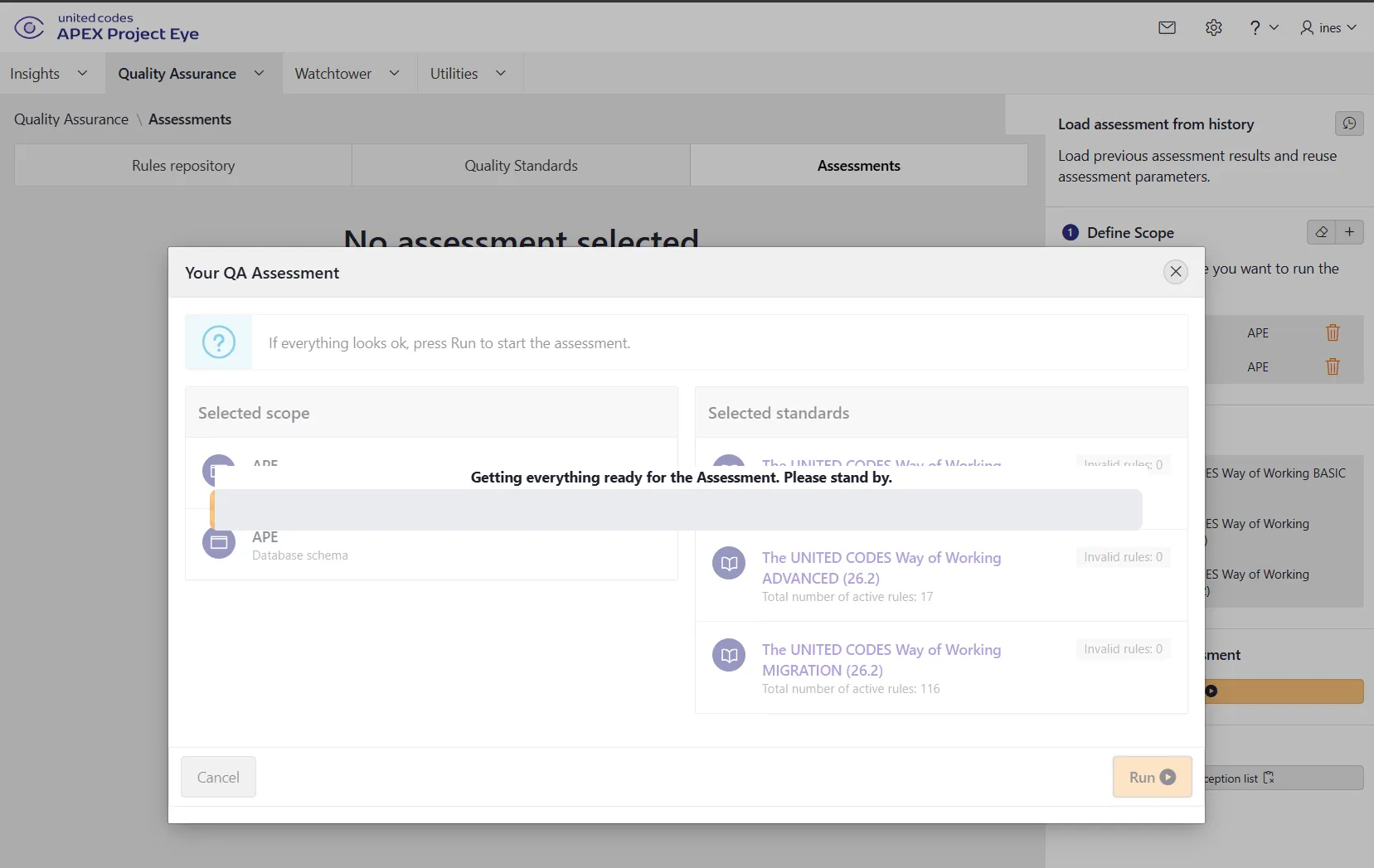
Quality assessment run
Every rule carries its own metadata beyond just a name: a category grouping it with related checks (most rules here are either Error — something that will break at runtime — or Best Practice — something that works today but will cause friction later), a priority telling you how urgently a violation needs attention, and a justification explaining why the rule exists in the first place — so a finding in your assessment results is never just an unfamiliar rule name you have to go look up.
11 new rules in the BASIC standard
The UNITED CODES Way of Working BASIC standard is bumped to v26.2 and gains 11 new rules covering Interactive Grid configuration, LOV settings, and region/form validation. Each ships with a default priority, which you can still retune per Quality Standard:
- UC - Editable IG should have a primary key column defined (Error, Low): An editable IG needs a primary key column so APEX can identify rows for DML — without one, updates and deletes fail at runtime.
- UC - IG checkbox column should have a default value for new records (Best Practice, Low): Without a default, new rows get a NULL checkbox state, which can trip up validations or DML processes expecting
'Y'/'N'. - UC - IG column with CSS class ‘is-readonly’ should be set to Query Only (Best Practice, Medium): The CSS class only prevents visual editing, it doesn’t block value submission. Query Only enforces that server-side.
- UC - IG column with CSS class ‘is-readonly’ should not be marked as Required (Error, Low): A column styled read-only can’t be filled in, so marking it Required blocks saving on every attempt.
- UC - IG primary key column should not use a Popup LOV (Best Practice, Medium): Primary keys are technical identifiers that shouldn’t be end-user-editable via a popup selector, they should be Hidden or Query Only.
- UC - IG region Static ID should not contain spaces (Best Practice, Low): Spaces in a Static ID break the CSS selectors and JavaScript references (e.g.
apex.region()) that target the region. - UC - IG column should not allow hiding when the toolbar is not displayed (Best Practice, Low): “Allow Hiding” relies on the toolbar’s Columns menu — without the toolbar, users can’t reach it, so the setting has no effect.
- UC - Application LOV visible column should have a column heading defined (Best Practice, Low): A visible LOV column without a heading renders a blank header row in the popup.
- UC - Inline dialog region should use a dialog template (Error, Medium): Regions placed in the Inline Dialogs position need a dialog template (modal overlay, close button, title bar). Without it, the dialog renders incorrectly.
- UC - Form region with a DML process should have a primary key item defined (Error, Low): The Form DML process needs a primary key item to know which row it’s updating or deleting.
- UC - IG master region in a master-detail should have a primary key column defined (Error, Low): The detail IG filters using the master’s primary key. Without one, the master-detail relationship can’t work.
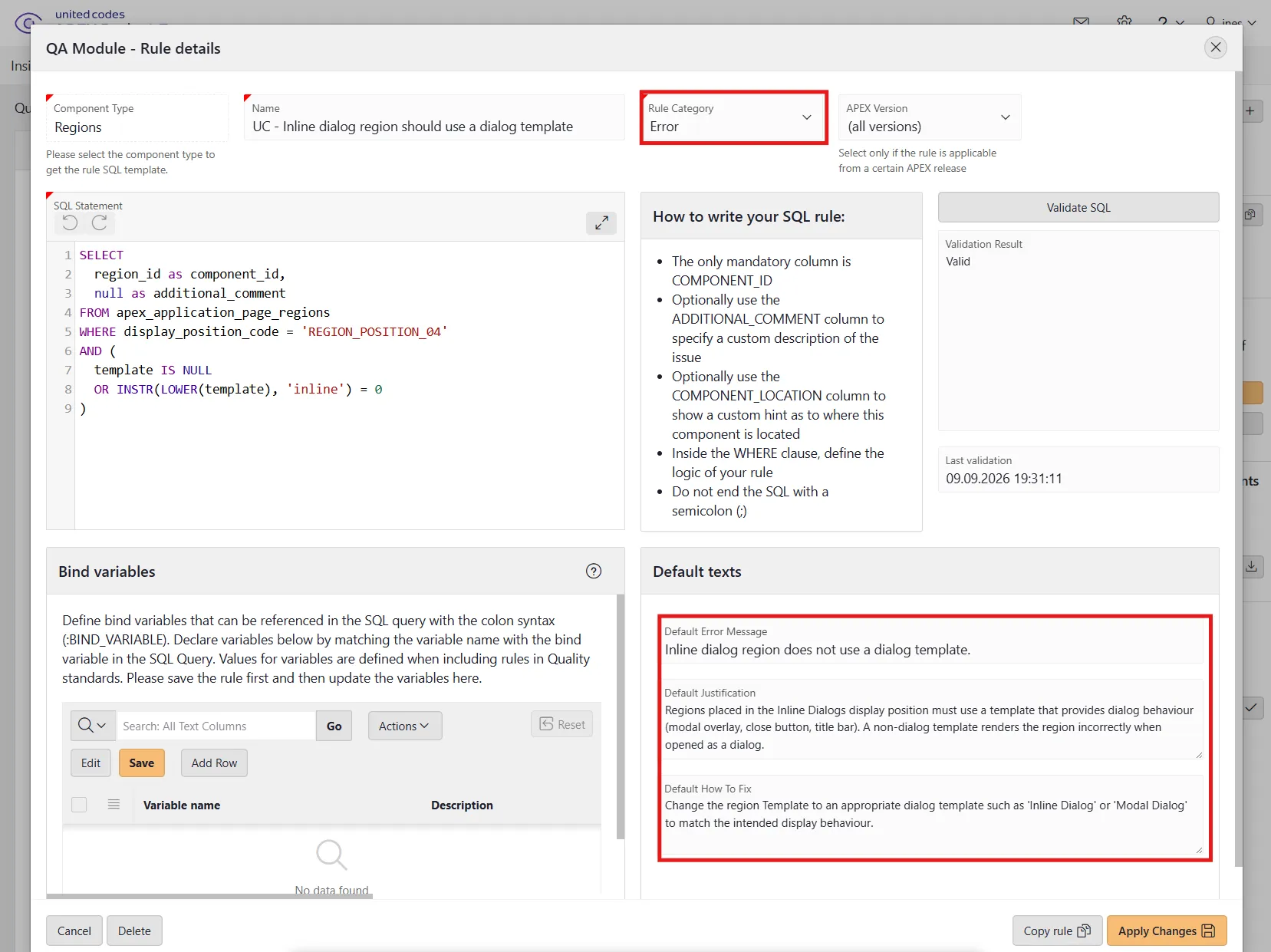
UC - Inline dialog region should use a dialog template rule detail showing its category, priority, and justification metadata
One new rule in the ADVANCED standard
The UNITED CODES Way of Working ADVANCED standard is also bumped to v26.2, gaining one new LOV rule:
- UC - Cascading LOV should reference the parent item in the LOV query (Best Practice, Low): A cascading LOV’s query must filter using the parent item as a bind variable (e.g.
WHERE dept_id = :P1_DEPT_ID). Without it, the cascade has no effect and the full unfiltered list is returned regardless of the parent selection.
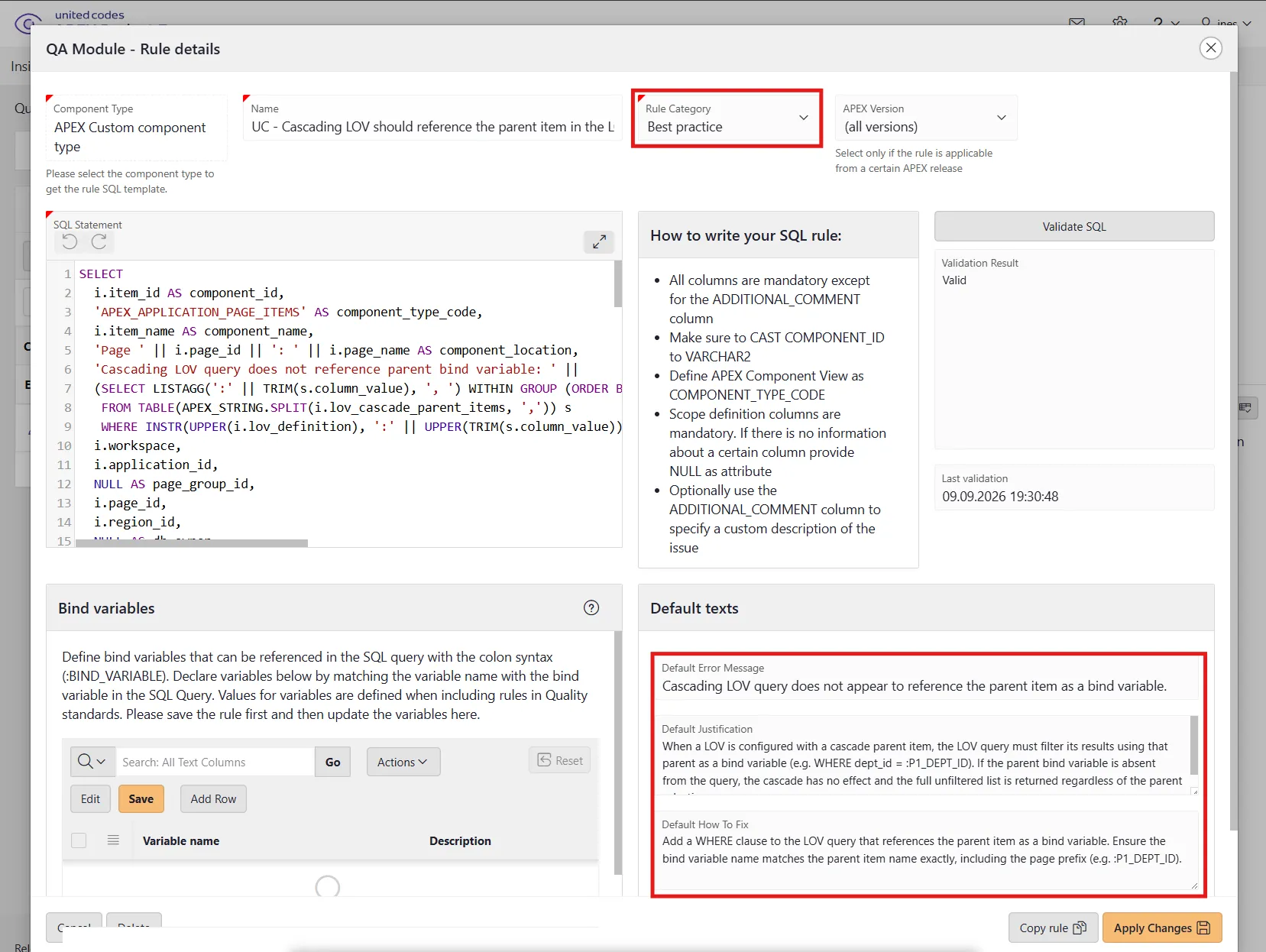
UC - Cascading LOV should reference the parent item in the LOV query rule detail showing its category, priority, and justification metadata
17 new checks for the Oracle APEX 26.1 migration
If you’re planning a move to Oracle APEX 26.1, the UNITED CODES Way of Working MIGRATION standard is bumped to v26.2 with 17 new checks detecting features that are deprecated, desupported, or changed in that release. Every check is filed under the Best Practice category, each with its own default priority. Grouped by what’s actually changing:
Region and page caching APIs — five APEX_UTIL procedures are deprecated with the move away from the legacy caching model:
- UC - Legacy APEX_UTIL.CACHE_GET_DATE_OF_PAGE_CACHE API Used (Low): Deprecated in APEX 26.1 and scheduled for removal. Replace with
APEX_PAGE.GET_CACHE_DATE. - UC - Legacy APEX_UTIL.CACHE_GET_DATE_OF_REGION_CACHE API Used (Low): Deprecated in APEX 26.1 and scheduled for removal. Replace with
APEX_REGION.GET_CACHE_DATE. - UC - Deprecated APEX_UTIL.PURGE_REGIONS_BY_NAME API Used (Low): Deprecated in APEX 26.1 with no documented direct replacement. Review your region-caching logic and remove the dependency.
- UC - Deprecated APEX_UTIL.PURGE_REGIONS_BY_PAGE API Used (Low): Deprecated in APEX 26.1 with no documented direct replacement. Review your region-caching logic and remove dependency.
- UC - Deprecated APEX_UTIL.PURGE_REGIONS_BY_APP API Used (Low): Deprecated in APEX 26.1 with no documented direct replacement — review your region-caching logic and remove the dependency.
The AI Configurations → AI Agents rename — three checks catch references to the old naming:
- UC - Legacy APEX_AI Signature Using p_config_static_id (Low): The
p_config_static_idparameter onAPEX_AI.GENERATE/APEX_AI.CHATwas deprecated when AI Configurations were renamed to AI Agents. Switch to thep_agent_static_idoverload. - UC - Deprecated View APEX_APPL_AI_CONFIGS Referenced (Low): Deprecated alongside the AI Configurations → AI Agents rename. Replace references with
APEX_APPL_AI_AGENTS. - UC - Deprecated View APEX_APPL_AI_CONFIG_RAG_SRCS Referenced (Low): Deprecated when RAG Sources became Augment System Prompt tools. Replace references with
APEX_APPL_AI_AGENT_TOOLS.
JavaScript APIs — three client-side APIs are being retired in favor of native browser or newer APEX APIs:
- UC - Deprecated apex.util.invokeAfterPaint JavaScript API Used (Low): Deprecated in APEX 26.1 — migrate to the native
requestAnimationFrame. - UC - Deprecated apex.util.cancelInvokeAfterPaint JavaScript API Used (Low): Deprecated in APEX 26.1 — migrate to the native
cancelAnimationFrame. - UC - Deprecated grid getSelectedRange JavaScript API Used (Low): The Interactive Grid widget’s
grid.getSelectedRangemethod was deprecated in APEX 26.1. Migrate togetSelectedRanges.
The Static ID → DOM ID rename — one JavaScript property and three substitution strings are affected, and this group carries the highest priorities in the list:
- UC - Renamed JavaScript Property regionStaticId Used (Low): Static ID was renamed to HTML DOM ID in APEX 26.1;
regionStaticIdhas no backward compatibility and simply stops working. UseregionDomId. - UC - Deprecated Substitution String #REGION_STATIC_ID# (High): Deprecated alongside the Static ID → DOM ID rename. Replace with
#DOM_ID#. - UC - Deprecated Substitution String #BUTTON_ID# (High): Deprecated alongside the Static ID → DOM ID rename. Replace with
#DOM_ID#. - UC - Deprecated Substitution String APP_REGION_STATIC_ID (High): Deprecated alongside the Static ID → DOM ID rename. Replace with
APP_REGION_DOM_ID.
And two standalone checks:
- UC - Deprecated Cohere AI Model Used (Medium): Flags
cohere.command-r-*,cohere.command-latest, andcohere.command-plus-latest. Switch tocohere.command-a-03-2025, which also adds tool and attachment support. - UC - Desupported DOM Object Dynamic Action Selector (Low): The “DOM Object” selection type was desupported back in APEX 23.1. Pages using it throw a browser console error and the action doesn’t fire. Switch to “JavaScript Expression”.
Why It Matters: Desupported ≠ Deprecated
Oracle APEX distinguishes clearly between:
- Deprecated - Still functional but planned for removal in a future release. Impact: You can still use it (for now), but update soon.
- Desupported - Removed completely, no longer works. Impact: Will cause runtime errors or silent failures.
The MIGRATION QA Standard uses this distinction to highlight warnings for deprecated features you should plan to replace and errors for desupported features that require immediate attention.
Make the MIGRATION QA Standard a regular part of your upgrade planning and QA workflow. You can use it proactively during development, before staging freezes, or when preparing upgrade impact assessments for clients. Stay tuned to the United Codes blog for future updates as we expand this standard with each APEX release.
Nothing to install
Already running Quality Assessments in APE? After upgrading to APEX Project Eye 26.2, navigate to the Quality Standards section and load the default UC Standards to make the rules set available. Then run a Quality Assessment against BASIC, ADVANCED, or MIGRATION as you normally would, and the new rules are included in the results. New to Quality Assessments? Take a look at APEX Project Eye.