
Introduction
One of the wonderful things about Oracle APEX is that all the metadata of our applications is stored in the database and accessible through the APEX dictionary views. It would almost be a crime to avoid taking advantage of this for all sorts of possibilities.
We all follow coding guidelines or organizational policies to keep our solutions secure, consistent, and easy to maintain. Or at least we should follow them, but we all know this is only sometimes the case, especially in larger teams.
With APEX applications, it’s a walk in the park to validate if our standards are followed just by writing simple queries on the dictionary views.
Writing Quality Rules
Let’s take one commonly known security measure to prevent broken authentication in your application: Protecting your pages with authorization schemes.
If you want to check which pages are not protected with authorization schemes, you can just run this simple SQL statement:
select * |
When looking at the results, we realize that it makes no sense to include publicly accessible pages like our login page, and also, page 0 cannot be protected with an authorization scheme. In the end, our statement should look something like this:
select * |
And this is how to get a list of all our pages that could cause an unnecessary security risk, so we fix them one by one. Easy right? But of course, it doesn’t stop here. We could query to see if all our SAVE buttons are labeled and formatted consistently throughout the application, if naming conventions are being followed, and all sorts of best practice guidelines.
Creating Quality Rules and Standards in APE
Not all developers are familiar with the APEX Dictionary views, and the library can be overwhelming. Also, running SQL statements one by one is time-consuming, so we want to validate our application code with a Quality Assurance framework that makes our lives even easier.
APEX Project Eye (APE) is one of a handful of available tools which can comprehensively support your Quality Assurance management.
With the Rule Builder Wizard, anyone who does not know all properties by heart can easily browse through the APEX dictionary views and get a preview of the most common values in their metadata to help find the correct attribute.
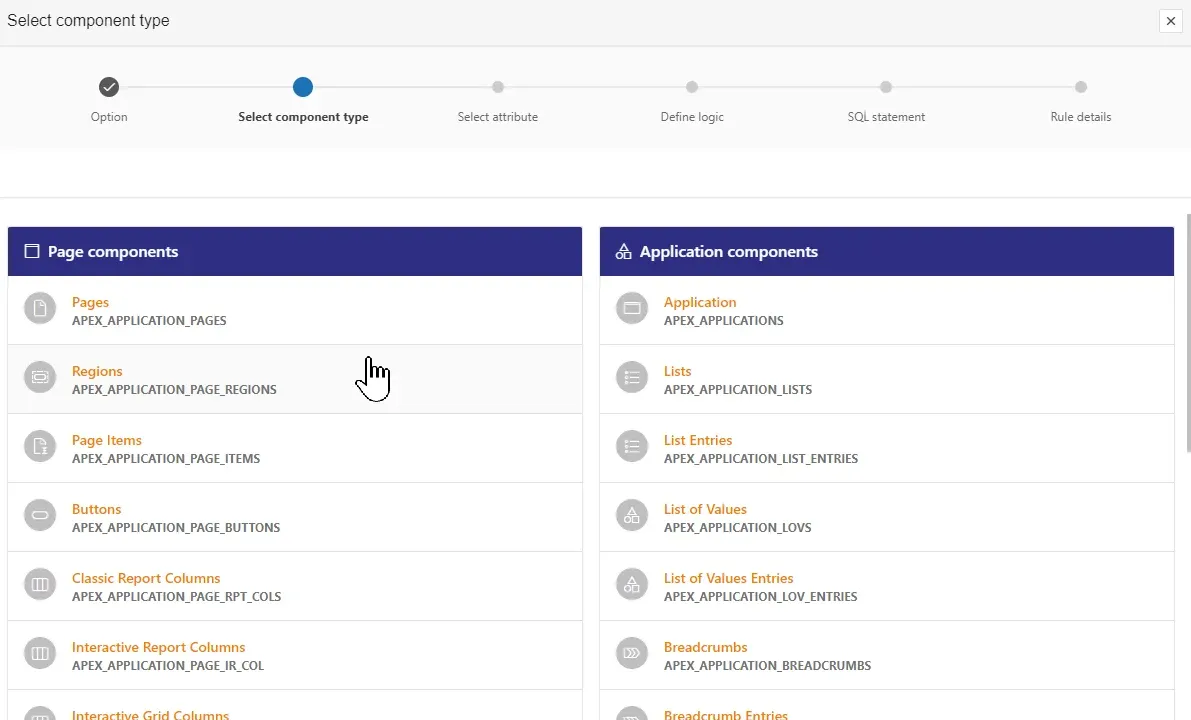
Image 1 - Select an APEX component
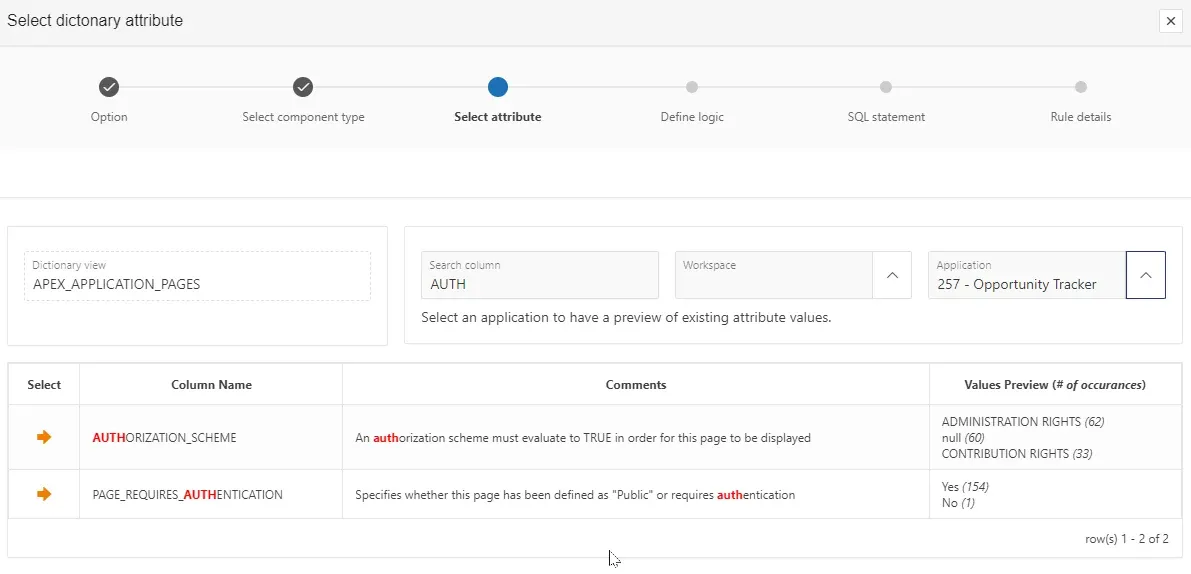
Image 2 - Browse through the APEX dictionary
The Rule Builder generates the SQL statement for you with the component key attribute, which is the only required field for APE Quality rules:
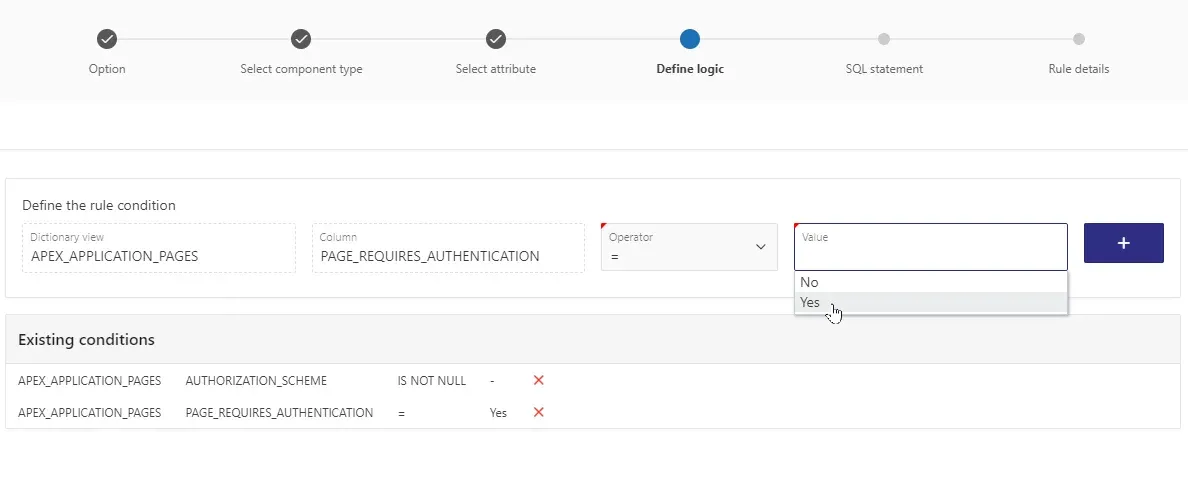
Image 3 – Declaratively define rule logic
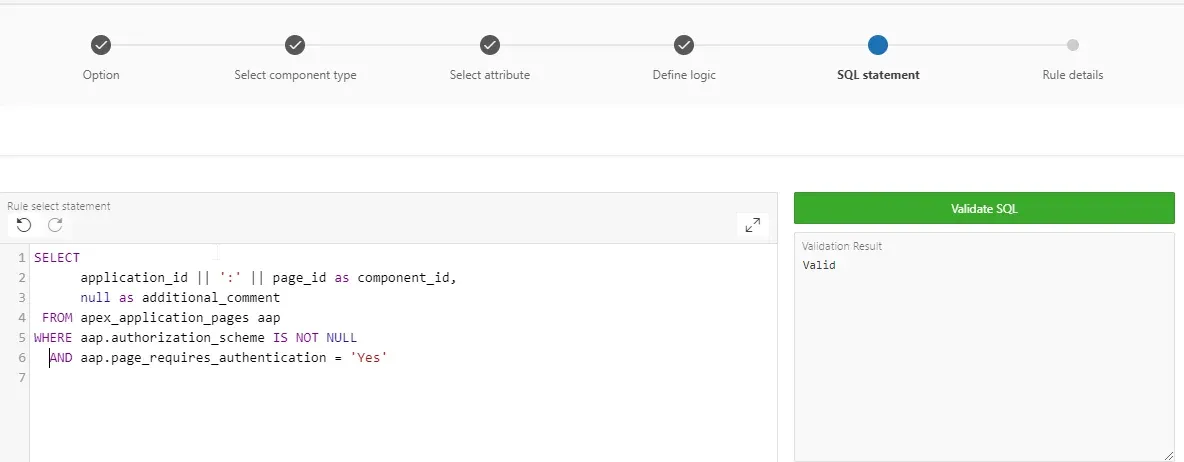
Image 4 - Generated SELECT statement
Each rule can and should be described with its own metadata, giving the QA practitioner vital information about the rule, its justification, and steps to resolve the issue.
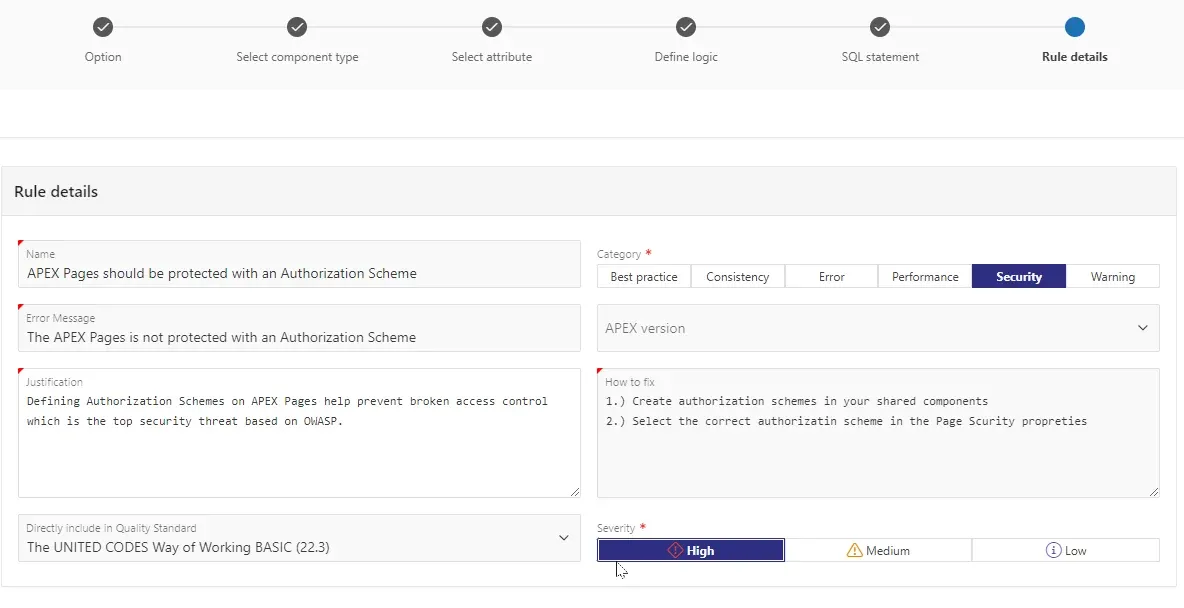
Image 5 - Rule metadata
Quality rules are listed in Quality Standards, which represent your organizational guidelines, with a severity level for each rule defining how significant a violation of that rule is for you and your organization. And in case you lack some inspiration, APEX Project Eye delivers over 40 prebuilt rules included in the UNITED CODES Way of Working Quality Standards, which you can use or copy as templates.
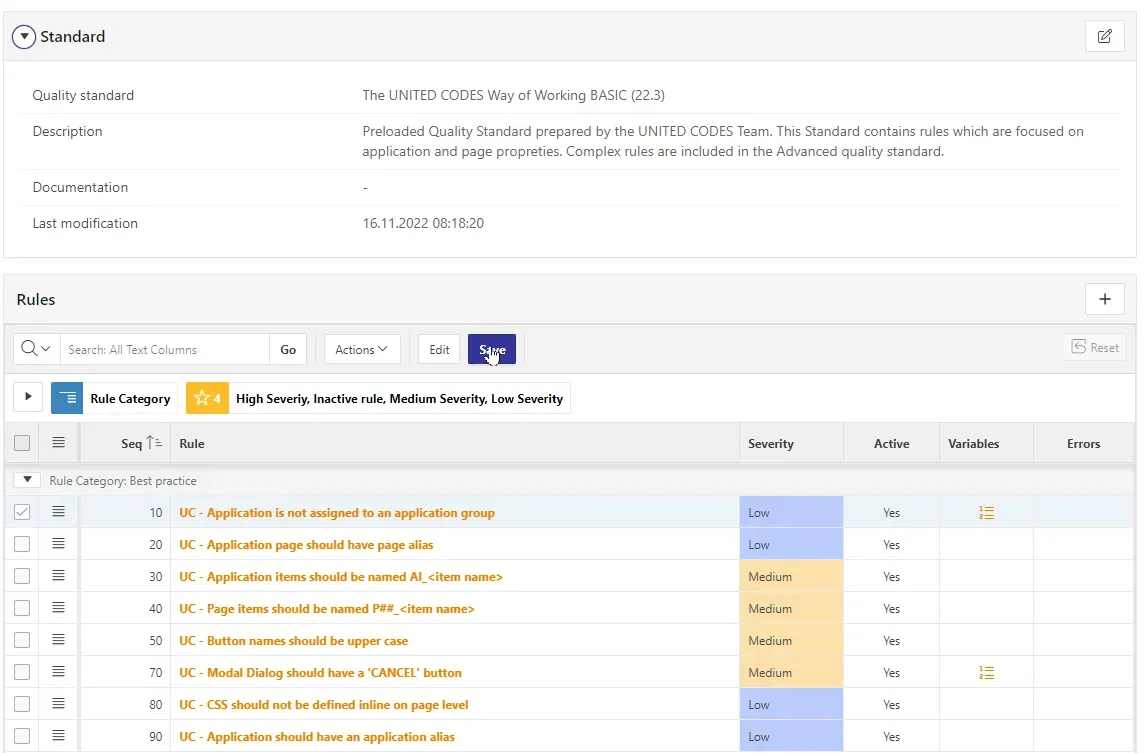
Image 6 - Quality Standard
Running Quality Assessments
Before running Quality Assessments, you need to define where the Assessments should be run and which Standards should be assessed. APE offers the following scope levels:
- Workspace
- Application
- Page Group
- Page
- Database Schema
It’s also possible to combine multiple scope levels:
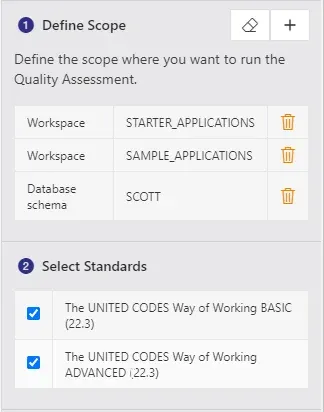
Image 7 - Define Scope and Standards for an assessment
After that, you’re ready to roll! Sit back, relax, and wait for your assessment to finish.
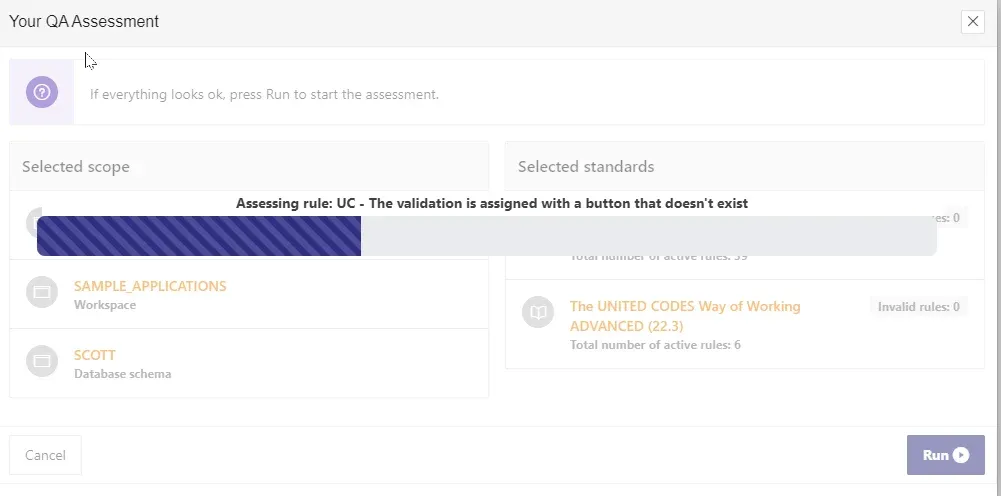
Image 8 - Quality assessment run
Browsing Through the Assessment Results
When the assessment is finalized, you’ll need to navigate a vast sea of found issues. APE helps you by offering three different browsing angles: By Rules, By Components, or By Severity:
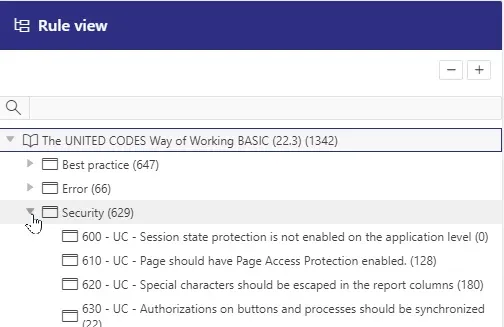
Image 9 - View results by standards, rule categories, and rules
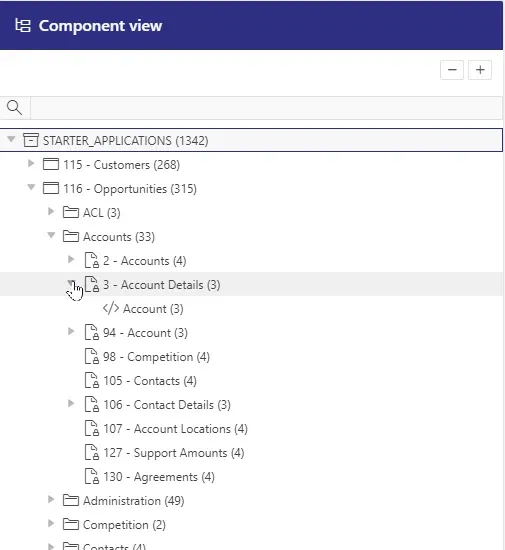
Image 10 - View results by workspaces, applications, pages, etc.
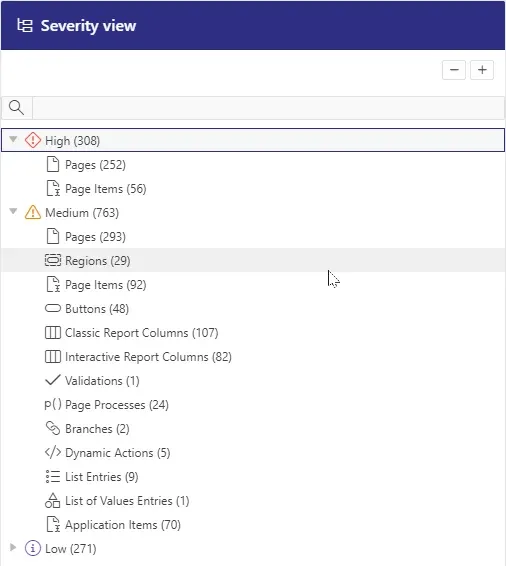
Image 11 - View results by severity and component type
And here are your issues waiting for you to analyze them and react as you see appropriate. You can mark the issue as an exception to exclude it from this and future assessments or immediately resolve it by clicking the Fix button, which takes you directly to the component in the APEX Page Designer.
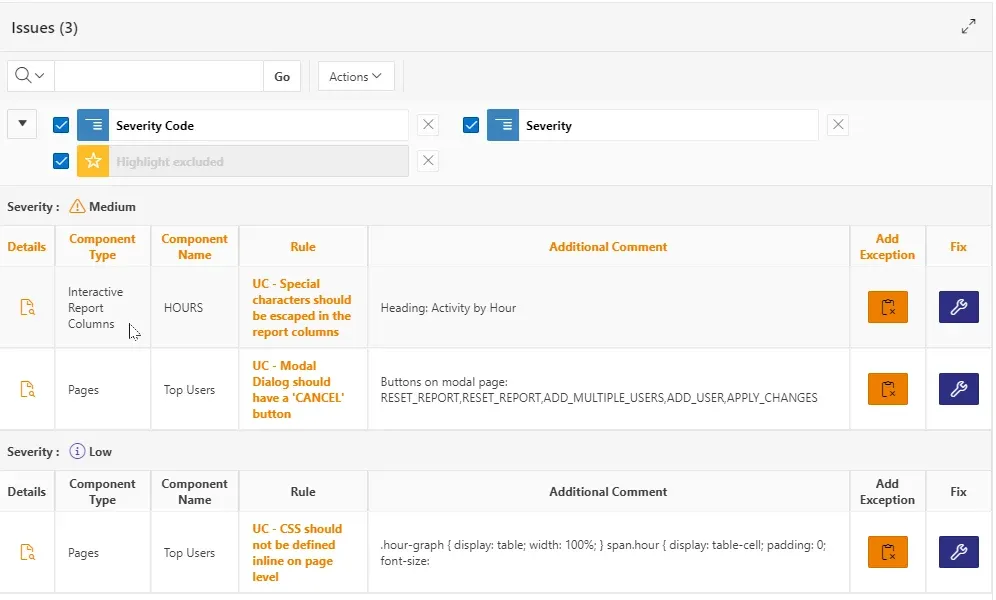
Image 12 - Assessment results
Conclusion
Designing and aligning internally in your team which guidelines must be followed, can require quite some time and patience. But with a Quality Management Framework, it’s simple to implement and make QA Assessments part of your development lifecycle.
In the next blog post, we will discuss some hands-on experience on real-life projects and reveal some tips and tricks on working with advanced APE Quality Assurance features.