
Centralized monitoring and analysis across all APEX environments
APEX Project Eye 25.1 introduces powerful multi-instance support, enabling centralized analysis and monitoring across all your APEX environments from development to production, and even across client installations.
⚠️ This feature is available exclusively with the APEX Project Eye Enterprise license. With the Standard license, APE must be installed in each environment individually, and cross-environment comparison is not supported.
If you’re running the same app in multiple environments, comparing behavior, performance, and usage can be time-consuming and prone to errors. With this update, those comparisons become seamless and automated.
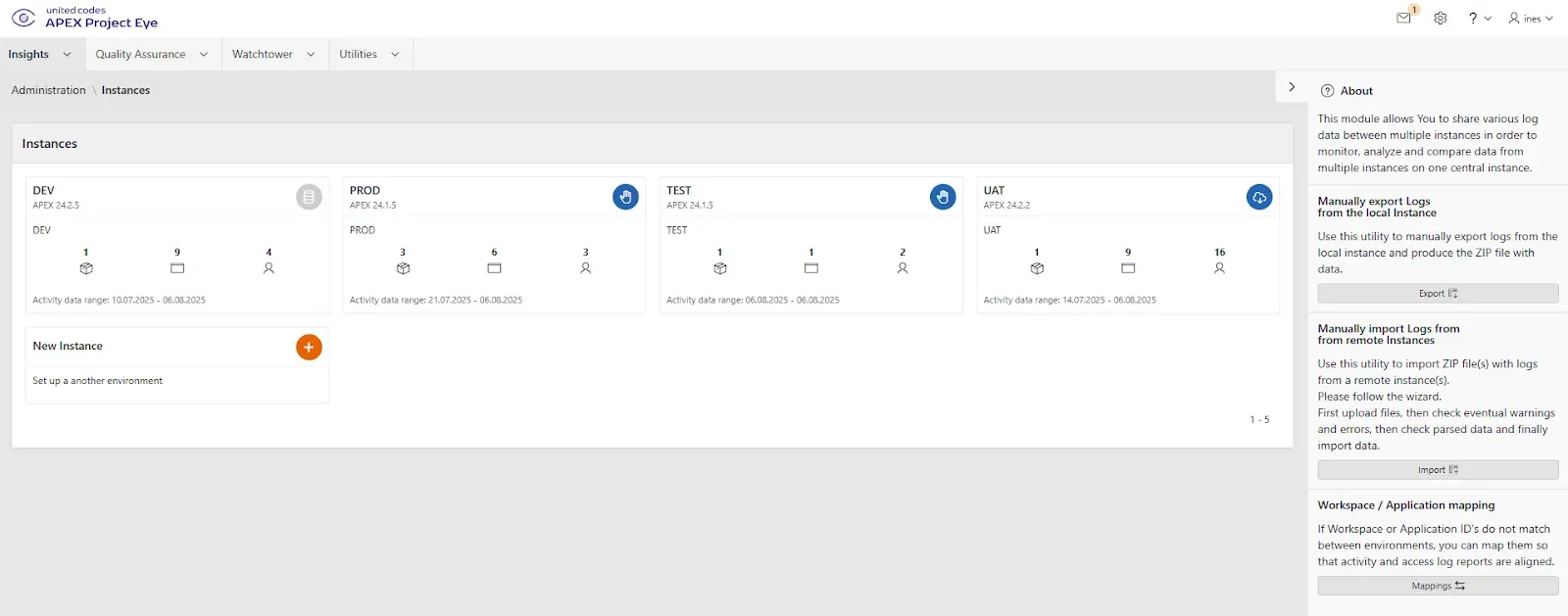
Why Multi-Instance is Relevant for Development and Operations
APEX applications typically run in multiple environments: DEV, TEST, UAT, and PROD. However, runtime data, such as errors, usage logs, and performance metrics, are usually siloed. That makes it difficult to:
- Reproduce bugs from production
- Track performance regressions
- Compare feature usage across environments
With APE 25.1, you can consolidate logs, metadata, and metrics from multiple APEX instances in one place, giving your team real-time operational visibility, regardless of where issues occur.
Choose Your Sync Strategy
APE supports multiple sync methods to match your infrastructure and data policies:
- Export/Import (JSON): Ideal for disconnected or restricted environments
- Direct Access: Use DB links or shared tables to access logs
- REST Web Services: Push or pull logs in real-time via ORDS
All methods support filtering by instance, workspace, application, and metric type.
Dashboards: Now with Instance Awareness
All major dashboards —Instance, Workspace, Application, and Page — have been extended with an Instance selector. This means you can:
- View and filter activity by environment (e.g., staging vs. production)
- Detect anomalies after deployments
- Drill into error rates and usage per instance
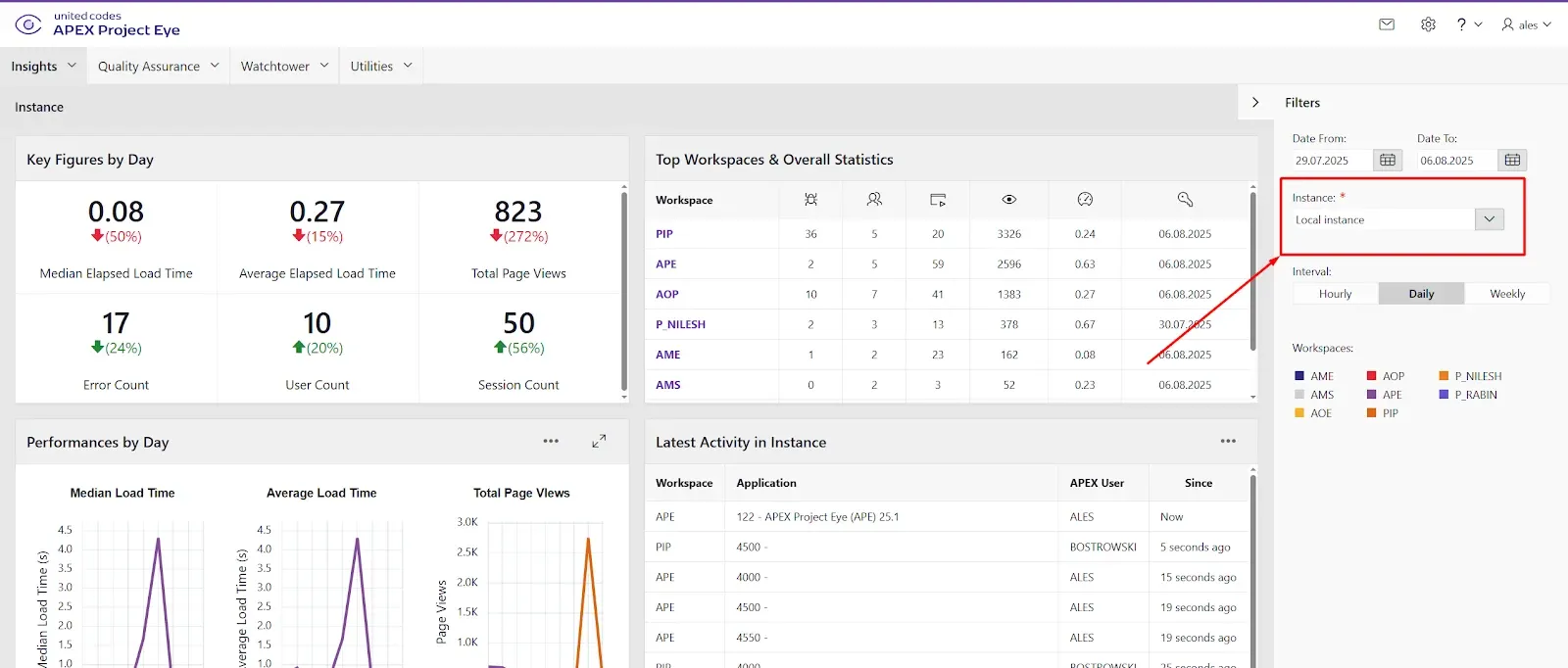
Same dashboards, more powerful context.
New: Multi-Instance Comparison Reports
APE 25.1 also introduces dedicated reports to help you analyze activity and metadata side by side:
-
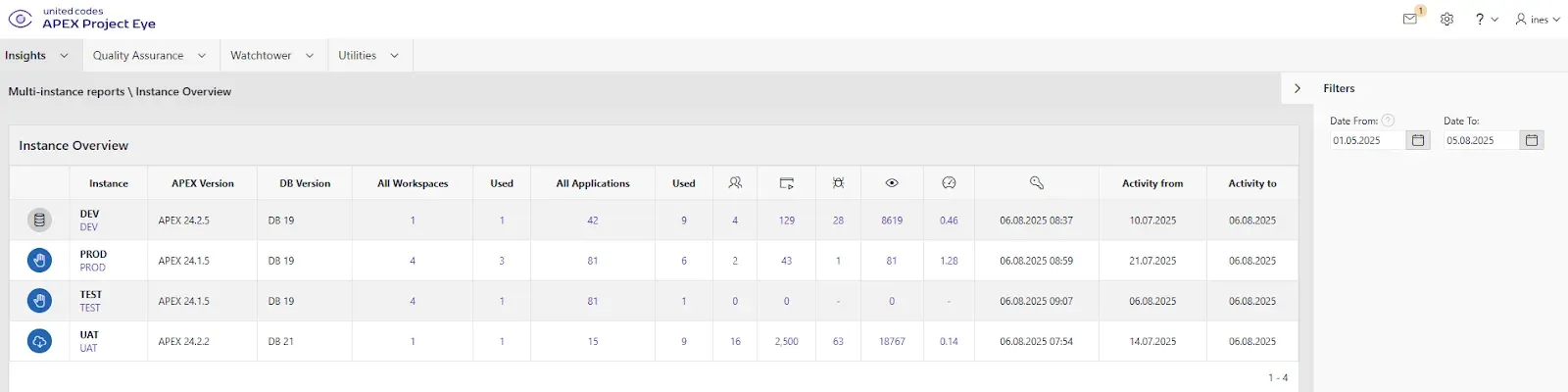
Instance Overview: Compare Database and APEX versions and aggregated usage data between instances.
-
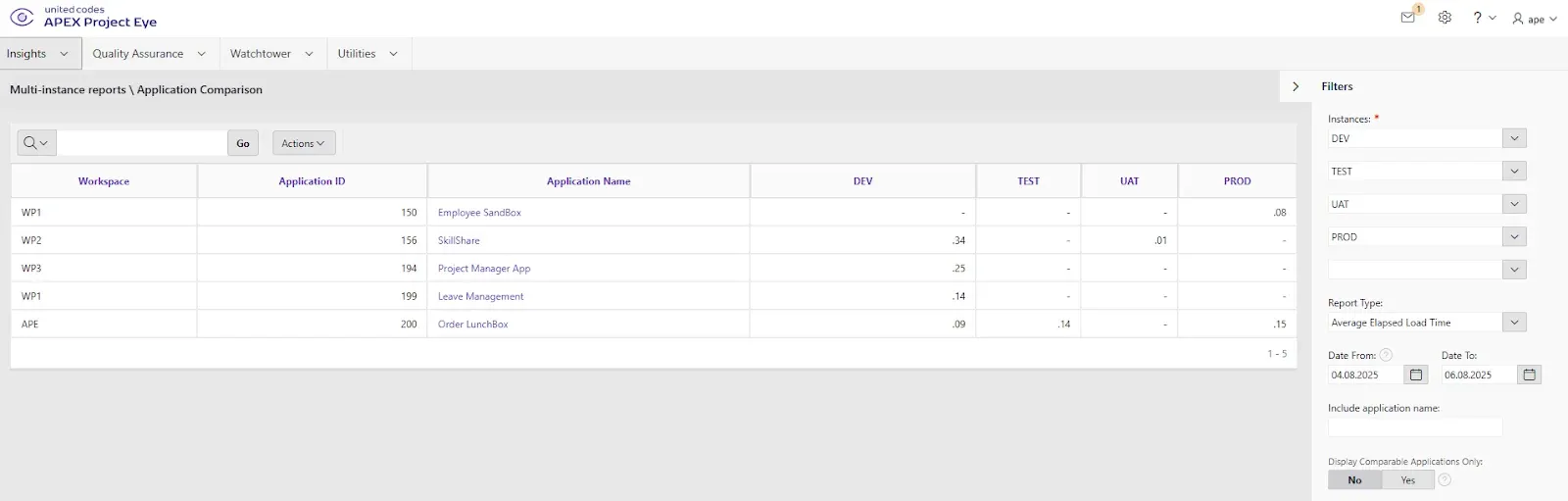
Application Comparison: View app versions, last update dates, and runtime behavior
- Page Comparison: Spot differences in performance or error frequency per page
- Activity ranges: Discover the specific timeframes, per instance and application, for which activity data is collected and used for analysis.

These interactive reports are perfect for troubleshooting, release validation, auditing, and client support.
Typical Use Cases
Teams are already using multi-instance capabilities in APE 25.1 to:
- Compare application versions across environments and catch environment drift
- Check APEX and database versions for consistency
- Analyze page performance and error trends between TEST, UAT, and PROD
- Reproduce bugs by importing logs into DEV from UAT or PROD
- Measure feature usage across deployments
- Monitor APEX apps delivered as products:
      - Know which version each client is running

      - Compare behavior across client installations

      - Detect and resolve issues proactively
Getting Started with Multi-Instance
To begin using the multi-instance capabilities in APEX Project Eye 25.1:
1. Upgrade to APE 25.1 Enterprise
2. In Administration, enable the multi-instance configuration option
3. Open the new Instances section in Administration and define your remote environments
4. Optionally, install the stand-alone APE Agent App on remote instances to enable log collection and synchronization
5. Choose and configure your sync method (Export/Import, Direct Access, REST) following the in-app instructions
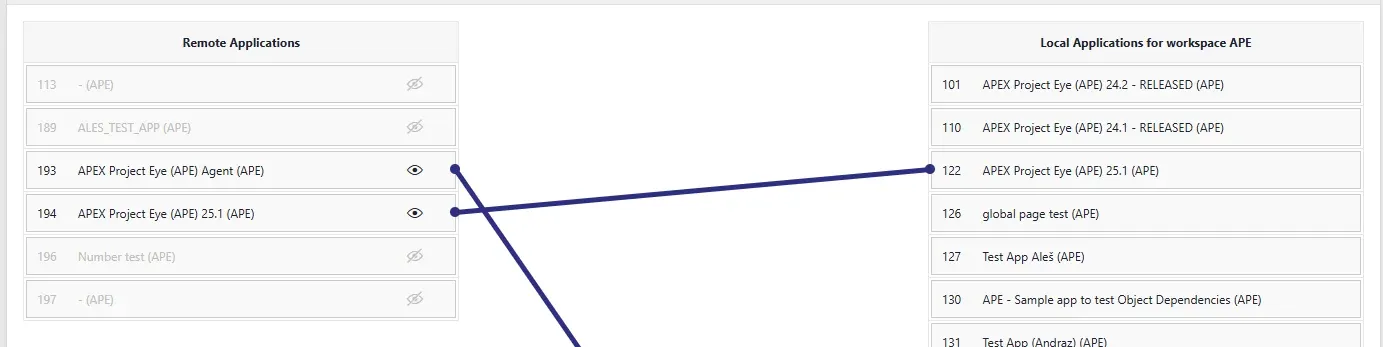
6. If necessary, map Application IDs Across Instances to ensure all dashboards and comparison reports treat them as the same app, making cross-environment analysis accurate. A special UI in the administration supports this process.
7. Once data is flowing, you can:
- Use your existing dashboards with instance filtering
- Explore the new Multi-Instance Reports to compare application versions, errors, usage, performance, and environment configurations side by side.
Summary
Multi-instance support in APEX Project Eye 25.1 transforms how you monitor and debug APEX applications across environments.
With centralized data, cross-instance dashboards, and comparison reports, your team can:
- Investigate issues without direct production access
- Validate deployments across environments
- Ensure consistent performance and behavior
- Support clients more effectively with real usage insights