
TL;DR
APEX Template Studio v24.2 is out now at: ats.united-codes.com
New features:
- Theme Switcher (Vita, Redwood, Vita Dark)
- Public component gallery: previews and like templates
- Compose theme components with “{with/} {apply …/}“ syntax
Theme Switcher
One of the standout features in v24.2 is the Theme Switcher. You can now easily switch between different theme styles to see how your templates look in various modes. For example, you can test your content in the default Vita theme and then switch to Redwood Light or even dark mode with just a click of the paintbrush button. This allows you to ensure your templates look great across different themes and color schemes.
Revamped Gallery
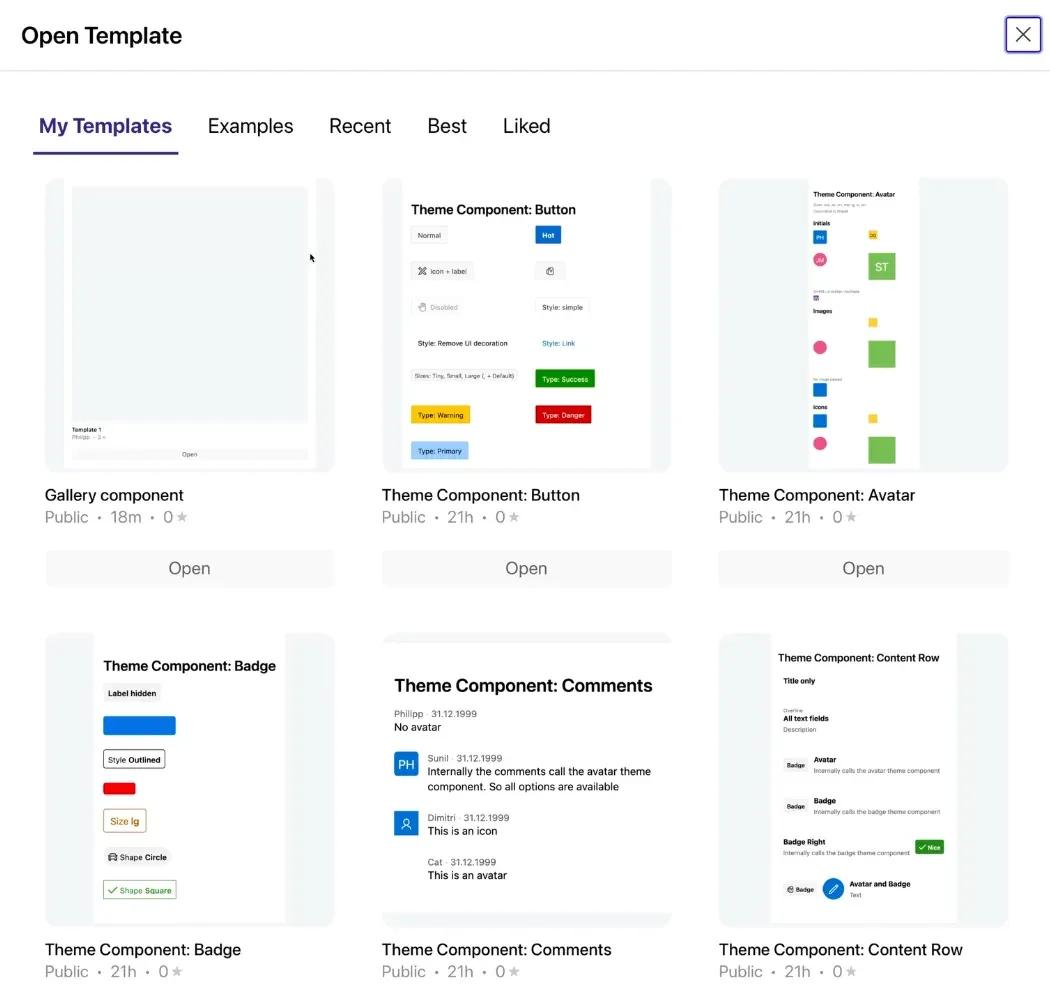
We’ve completely revamped the gallery in APEX Template Studio. Previously, it was a simple table displaying your creations, which looked a bit dull. The new gallery is rich with a preview of each template along with relevant information. In addition to the examples and your own templates, you can also share and discover other people’s creations.
Publish a Template
It is now possible to share your templates with the community. Just open any of your creations and click on its name to see the share button. In the share page you can select a username if it is your first time sharing something and click the publish button.
Like Templates
If you discover somebody else’s templates, click on the name to see the like button. In the gallery, you can find all your favorite creations.
Theme Component Support
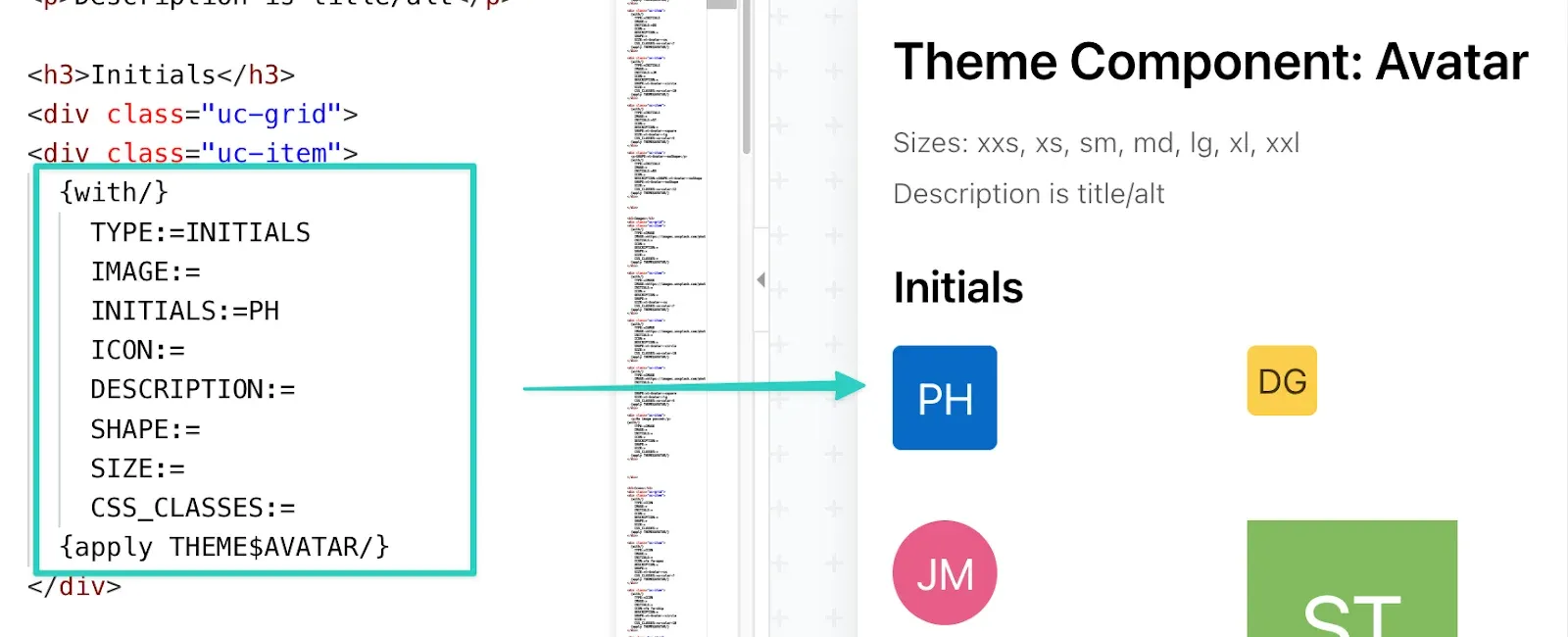
APEX Template Studio v24.2 introduces support for reusing theme components in your own creations. With the “{with\} {apply …\}” syntax, you can embed APEX’s internal template components, such as buttons, avatars, and badges.
The syntax works like a function call. We need to specify which theme component to call after the “{apply” part and pass the attribute values as parameters:
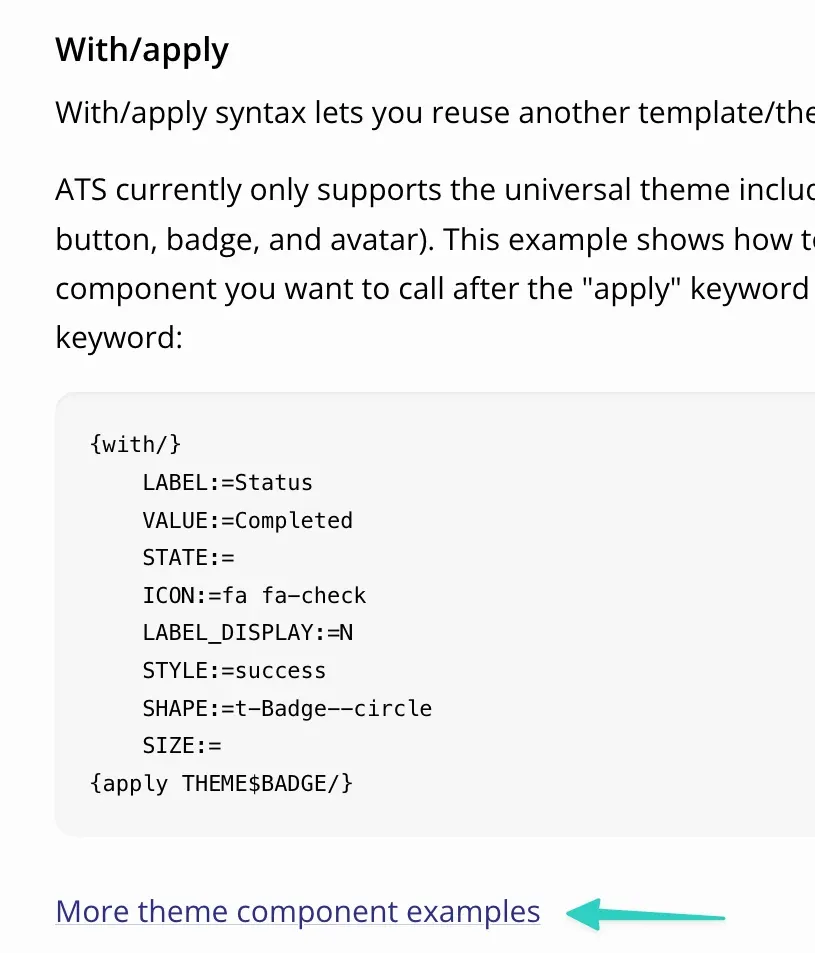
We provide examples for all theme components. To access them scroll down to the “With/apply” section and click the link with the examples.
Conclusion
APEX Template Studio v24.2 brings a range of exciting features to enhance your APEX theme development workflow. The Theme Switcher allows you to test your templates across different styles, while the revamped gallery provides a visually appealing way to showcase your creations. With the ability to publish and like templates, you can now share your work with the community and discover templates from others. Additionally, the support for theme components using the “{with\}{apply\}” syntax enables you to leverage APEX’s own theme components in your templates.