AMS Event
Overview
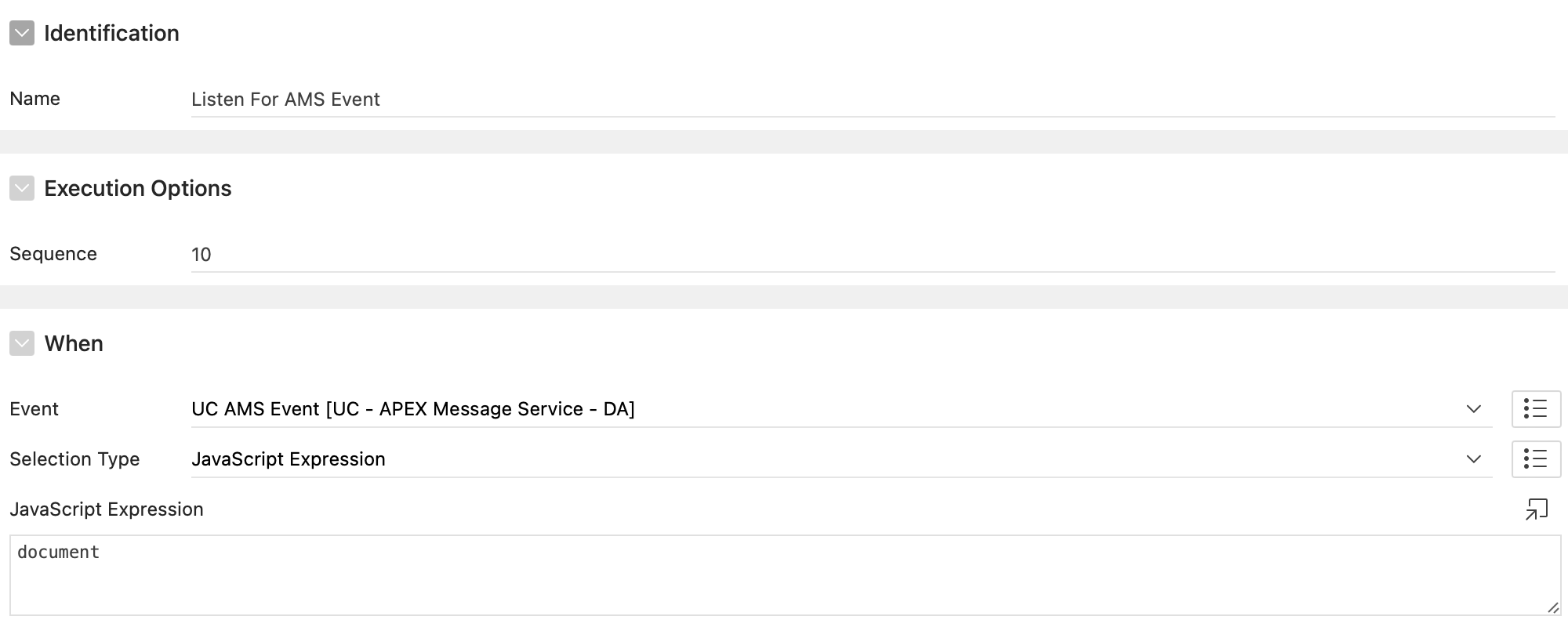
The AMS Event is used to listen to the emits sent by the AMS Server. The event is triggered when a message is sent to a room the user is listening to.
The return data is a JSON object with the following properties: amsdata: The data sent by one of the AMS Users in your room. rooms: The room name(s) to which the message was sent. broadcast: Whether the message was sent to all users or not. socketId: The socket ID of the user that sent the message. username: The username of the user that sent the message. (or other if you define it as such)
How to use
SQL Query
When you use the SQL Query to send messages, the incoming data will be a JSON array.
Example: SQL Query
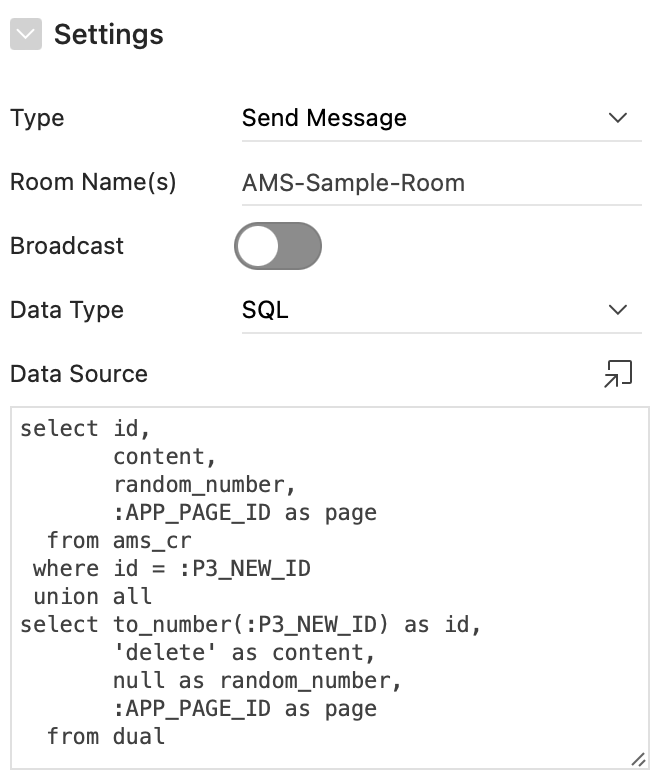
Result (when executing query)
this.data = {
  "amsdata": [
    {
      "CONTENT": "Hello!",
      "ID": 101,
      "PAGE": "3",
      "RANDOM_NUMBER": "1921",
    },
    {
      "CONTENT": "delete",
      "ID": 101,
      "PAGE": "3",
    }
  ],
  "broadcast": "N",
  "rooms": "AMS-Sample-Room",
  "socketId": "KSgx1d_jjroyOhJnAAAD",
  "username": "DEMO"
}
The socket ID is automatically added to the result by the server. The username comes from the AMS Dynamic Action with the type "Join Room".
PL/SQL
When you use the PL/SQL API to send messages, the incoming data will be a JSON object or array, depending on the query.
Example: PL/SQL
Result (when executing query)
this.data = {
    "amsdata": {
        "page": 1
    },
    "rooms": "AMS-Sample-Room",
    "broadcast": "Y",
    "socketId": "ZJkU8QF3mwkG2OdeAAAR",
    "username": "VITO"
}
JSON
When you use the JSON to send messages, the incoming data will be a JSON object or array, depending on what you send to the server.
Example: JSON
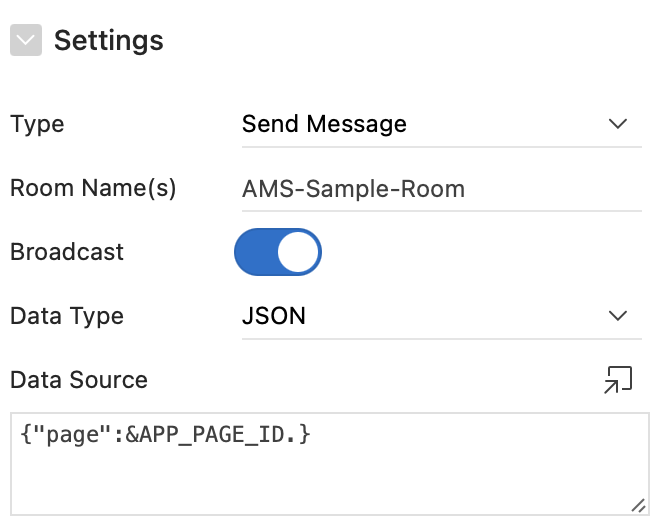
Result (when executing query)
this.data = {
    "amsdata": {
        "page": 1
    },
    "rooms": "AMS-Sample-Room",
    "broadcast": "Y",
    "socketId": "ZJkU8QF3mwkG2OdeAAAR",
    "username": "VITO"
}